

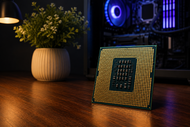
A desktop processor feels fast or slow long before you ever open a spec sheet. You notice it when a project file opens in one second instead of eight, or when a game holds a steady frame rate while a stream runs in the background.
What makes a desktop processor powerful is not one number on the box. It's the mix of clock speed, core count, thread count, cache memory and the architecture underneath, all working together and all limited by how well your PC keeps the chip cool.
That mix is why two CPUs with the same advertised speed can behave nothing alike.
Understanding Desktop Processor Performance
Desktop processor performance means how much work your CPU finishes in a given amount of time, and how quickly it responds when you ask it to do something.
Every click, keystroke, calculation and game frame passes through the processor first. When the chip keeps up, the whole machine feels quick. When it falls behind, everything else waits.
Performance varies across systems for reasons that sit outside the CPU itself. Memory speed, storage type, cooling quality and even the motherboard's power settings all shape the final result. A strong desktop CPU stuck behind slow RAM and a cramped case won't show its real ability.
Workload type matters just as much. Web browsing, spreadsheets and most games lean on one or two cores running as fast as possible.
Video rendering, 3D work, code compiling, and virtual machines spread across every core the chip has. The same processor can look brilliant in one job and average in the other.
Why Some Desktop Processors Perform Better Than Others
Some computer processors pull ahead because their designers balanced several parts well, not because they won on one specification.
A chip with a huge core count and weak per-core speed struggles in games. A chip with blazing clocks and a small cache stalls whenever data isn't close at hand.
Balance is the real story of modern PC processors. Intel's Core Ultra 200S desktop family splits work between Performance cores and Efficient cores, with a hardware scheduler deciding which core gets which job.
AMD stacks extra cache on top of its gaming chips, which is why the X3D versions of Ryzen 9000 keep winning frame rate charts against parts with higher clocks.
Manufacturing also plays a part. Smaller production nodes let a chip run more transistors at lower voltage, so it holds high clock speeds for longer before heat pushes it back down.
Two processors can share identical specs on paper and still be separated by 15 to 20 percent in real testing because one holds its boost clock and the other doesn't.
Key Performance Factors in a Desktop Processor
|
Performance Factor |
Impact on Performance |
|
Clock Speed |
Sets how many cycles each core completes per second. Drives responsiveness in games, browsers and single-task software. |
|
Core Count |
Decides how many separate jobs run at the same time. Shapes rendering, encoding and heavy multitasking. |
|
Thread Count |
Lets each core juggle more than one instruction stream, filling idle gaps in mixed workloads. |
|
Cache Memory |
Stores frequently used data next to the cores. Cuts waiting time and lifts gaming and database performance sharply. |
|
Processor Architecture |
Controls how much work each core does per cycle (IPC). Often the biggest difference between generations. |
Clock speed
Clock speed, measured in GHz, tells you how many cycles a core runs per second. A 5.5 GHz boost clock does more per second than a 4.5 GHz one, provided both cores are built the same way. Clock speed only compares fairly inside one architecture.
A 4.5 GHz chip from 2026 will beat a 4.5 GHz chip from 2018 by a wide margin because it does far more work in each cycle.
Boost behaviour matters more than the peak number. Most desktop CPU processors advertise a boost clock they can only hit on one or two cores, for short bursts, with good cooling.
Core count
Cores are complete processing units. Four to six cores handle office work and browsing. Eight cores suit gaming and general creative use.
Twelve to sixteen cores pay off for video editing, 3D rendering and compiling, where software splits jobs across everything available. Beyond that point, workstation processor territory begins, and the extra cores only help if your software knows how to use them.
Thread count
Threads are the work queues a core can manage. Multithreading gives each core two queues, so it can start a second instruction while the first waits on data. That lifts multi-core desktop processors by roughly 20 to 30 percent in threaded jobs.
Intel dropped multithreading on its recent desktop lineup and made up the difference with more Efficient cores instead, which shows there's more than one route to the same result.
Cache memory
Cache is small, very fast memory built into the processor. L1 and L2 sit inside each core, and L3 is shared. When the data a core needs is already in cache, the core keeps working. When it isn't, the core waits on system RAM, which takes many times longer.
Cache size explains one of the clearest performance gaps in the market. AMD's 3D V-Cache chips carry 96 MB or more of L3, and they beat higher-clocked rivals in games because game engines constantly reuse the same data.
Processor architecture
Architecture covers how the core is designed inside: branch prediction, instruction pipelines, execution units, and memory controllers. It sets instructions per clock, or IPC.
A new generation with 15 percent higher IPC beats the old one at the same GHz, using the same power. This is why buying on generation and architecture beats buying on raw numbers.
Desktop Processor Performance for Everyday Use
Office and productivity tasks rarely stress a modern CPU. Six cores with strong single-core speed keep documents, email and video calls smooth.
Multitasking with many applications rewards cores and threads. Thirty browser tabs, a chat app, a video call and a spreadsheet running together will expose a four-core chip fast.
Gaming depends on single-core speed and cache far more than core count. A good desktop gaming processor with eight cores and a large L3 cache outperforms a sixteen-core chip with less cache in almost every title, especially at 1080p and 1440p where the CPU sets the pace.
Content creation flips the priority. Premiere Pro, Blender and DaVinci Resolve scale with cores, so twelve to sixteen cores cut export and render times noticeably.
Demanding professional work like simulation, CAD, scientific computing and large code bases needs core count, memory bandwidth and PCIe lanes together. That's where workstation platforms earn their price.
Optimizing Desktop Processor Performance
Fix your cooling first
Every modern CPU boosts until it hits a temperature or power limit. A better cooler and clean case airflow often buy back performance you already paid for.
Update BIOS, chipset drivers and Windows
Firmware updates fix boost behaviour, memory compatibility and thread scheduling, and these fixes are free.
Match the rest of the build
Fast DDR5 running at its rated speed with EXPO or XMP enabled, an NVMe SSD and a suitable GPU stop the processor from waiting on other parts.
Cut background clutter
Startup apps, overlays and old antivirus tools steal cycles you never see. Check Task Manager and remove what you don't need.
Clean the dust every six months
Blocked heatsink fins raise temperatures, and higher temperatures mean lower sustained clocks.
Advantages of a Powerful Desktop Processor
A strong desktop CPU shortens the waiting that fills your day. Apps launch quicker, big files open without a pause, and switching between heavy programs stops feeling like a decision.
Games hold steadier minimum frame rates, which matters more to how smooth a game feels than the average number does.
Exports and renders finish in a fraction of the time. The machine also stays useful longer, because software keeps demanding more and a capable chip has room to give.
Understanding performance factors is one half of the job. Matching them to a real budget, socket, chipset and cooler is the other half. Our guide, Buy a CPU Before Reading This 2026 Processor Guide, walks through the full buying process, including platform choice, upgrade paths and where your money gives the best return.
The Future of Desktop Processor Performance
AI accelerators are moving into desktop silicon. NPUs already sit alongside the cores in current designs, handling background tasks so the main cores stay free.
Core counts keep climbing. AMD's Zen 6 generation moves to twelve cores per compute die and a 2 nm class process, and Intel's Nova Lake chips are expected to push desktop core counts higher still on a new socket.
Both companies are chasing IPC gains rather than raw GHz, since heat limits how far clock speed can go.
Memory support keeps moving too. Faster DDR5 baselines, wider PCIe bandwidth and smarter thermal management all point the same way: more work per watt, with less noise and heat.
Conclusion
A powerful desktop processor comes from cores, threads, clock speed, cache, and architecture pulling in the same direction, backed by cooling and memory that let the chip stretch.
No single number tells the story. Judge processors on real benchmarks in the software you actually run, then pick the one that fits both your work today and what you'll ask of it in three years.
Frequently Asked Questions
A: Balanced hardware. Strong per-core speed, enough cores and threads for your software, a large cache and a current architecture. Cooling and memory then decide how much of that ability you actually see.
A: Higher clock speed means each core completes more cycles per second, which speeds up games, browsers and any task that runs on one core. Clock speed only compares fairly between chips of the same generation.
A: Yes. More cores and threads let the system run several heavy programs at once without stuttering. A six-core chip manages normal multitasking, while twelve or more cores suit editing, streaming and virtual machines running together.
A: Check core and thread count against your main software, cache size, the architecture generation, the socket's upgrade life, and the cooler needed to run it at full boost.
A: Because architecture, cache size, memory support and sustained boost behaviour differ. One chip may hold its top clock under load while the other drops back on heat or power limits.
A: Strongly. Architecture sets instructions per clock, so a newer core does more work in every cycle at the same GHz. This is the main reason a modern mid-range CPU beats an older flagship.
A: Cores decide how many jobs run truly in parallel. Rendering, encoding, compiling and virtualisation scale directly with them. Gaming and office work benefit far less past eight cores.