

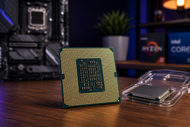
A processor can keep a computer quick for years or create a poor match. That matters in 2026. Games need fast cores and steady frame rates.
Editors need more cores for previews and exports. Local AI tools divide work between the CPU, graphics chip, and neural processing unit. Laptop buyers must balance speed, heat, noise, and battery life.
The highest model number doesn’t guarantee the right result. A gaming chip may waste money in an office PC; a low-power chip may struggle with exports.
Start with your workload, then check the board, memory, cooling, graphics, and power supply.
What is a CPU? (Central Processing Unit)
A CPU, or Central Processing Unit, acts as the main instruction handler. Software sends commands, and the CPU reads each instruction, performs the required task, and sends the result elsewhere.
Its work includes calculations, software execution, file handling, security, and memory communication. It also helps the operating system share time between open programs, keeping a document, browser, video call, and background scan moving together.
Modern CPUs contain physical cores, and each handles its own instruction stream. More cores help with split workloads such as rendering, code compilation, compression, and video encoding. Core count alone cannot predict speed.
Architecture, clock rate, cache, power limits, cooling, and software support also matter.
Key CPU Specifications
Clock Speed
Clock speed states how many cycles a core completes each second, in gigahertz. A higher number can help when processors share a design, but GHz cannot compare different architectures alone. One chip may complete more per cycle. Check benchmarks for your games or programs.
Hyperthreading
Intel Hyper-Threading lets one physical core appear as two logical processors. Both threads share resources, so it does not double the speed. It can raise output when one thread waits and the second uses idle core parts. AMD calls similar technology simultaneous multithreading on many CPU processors.
Turbo Boost
Intel Turbo Boost raises clock speed above base frequency when temperature, power, and current limits allow it. The chip acts automatically. Maximum turbo speed may apply to a few cores briefly, not every core during a long task.
Turbo Core
AMD used Turbo Core for automatic clock increases on older processors. Current pages favour Max Boost Clock and Precision Boost. Treat Turbo Core and Turbo Boost as related brand terms, not proof of equal results.
Thermal Output
A CPU turns power into heat. Long gaming, rendering, compiling, and AI sessions can keep temperatures high. Poor cooling lowers clock speed, raises fan noise, and warms nearby parts. Hot desktop processors need suitable cooling and airflow.
Cache (L1, L2, L3)
Cache holds frequently needed data close to the cores. L1 runs fastest and holds the least. L2 offers more room. L3 holds much more and often serves several cores. A larger cache can help games and repeated data work, but design matters more than one number.
TDP (Thermal Design Power)
TDP gives builders a cooling target in watts, not a promise that wall-power use will match the figure. Modern processors may draw more during boost periods. Intel now uses Processor Base Power on many chips and may list higher maximum turbo power.
Graphics Core Speed
Processors with integrated graphics list a graphics frequency for the built-in GPU, not the CPU cores. Memory speed, channel count, graphics units, cooling, and architecture also affect results. Integrated graphics suit office work, media, light creation, and some games. Demanding titles favour a separate graphics card.
Kinds of CPU Processors
Laptop Processors
Laptop processors face tight power and heat limits. Different settings can make laptops with matching chip names perform differently. Check sustained speed, battery tests, fan noise, memory setup, and charger behaviour. An NPU can support local AI features in compatible software.
Desktop Processors
Desktop processors gain more cooling space and higher power limits. They suit gaming towers, workstations, offices, and creator PCs. Many use replaceable sockets, though makers change them across generations. Some include graphics; others need a separate GPU. Check the exact model suffix.
Server Processors
Server processors focus on high core counts, large memory capacity, error-correcting memory, extra PCIe lanes, security, and long workloads. They suit virtual machines, databases, hosting, science, and company systems. AMD’s current server range far exceeds mainstream desktop core counts, showing how server needs differ.
Processor Boards
A processor board carries a CPU or system-on-chip with supporting parts. Single-board computers, embedded systems, controllers, and some server modules fit this description. Processor Boards do not form a CPU family. Check the chip, memory, ports, storage, power input, operating-system support, and replacement options.
VRM Processors
A VRM, or voltage regulator module, supplies controlled voltage to the CPU. It is not a processor. “VRM processors” is a loose search phrase. Buyers should check the motherboard VRM quality, power stages, cooling, firmware, and current capacity. Weak VRM cooling can limit long workloads.
Proprietary Processor
A proprietary processor uses a design, package, instruction set, or platform that one company controls. Apple’s M-series chips link hardware and software closely. Custom chips can control power well, but may restrict upgrades, operating systems, repairs, or software. Check required apps, devices, virtualisation tools, and upgrade plans.
Use Cases: Which CPU Should You Choose?
Gaming
Choose strong per-core speed, steady boost behaviour, enough cache, and enough cores for games plus background tasks. Most players gain more from balanced CPU and GPU spending than from an oversized processor. High-refresh competitive games pressure the CPU more than graphically heavy 4K play, where the GPU carries more work.
Content Creation & Video Editing
Editing, 3D rendering, music work, and code compilation reward more cores when software can use them. Check hardware encoding for your camera format and program. Fast storage, enough RAM, and the right GPU may save more time than a small CPU upgrade. Read tests covering playback, exports, effects, and noise under load.
AI Development & Machine Learning
Small models, data preparation, coding, and light inference can run on PC processors. Larger training jobs depend on the GPU and its memory. An NPU handles supported low-power AI tasks. Microsoft’s Copilot+ PC class requires 40 or more NPU TOPS for many Windows AI features.
Everyday Productivity & Office Work
Email, web apps, spreadsheets, calls, accounting, and documents need responsive cores more than a huge core count. A current mid-range CPU with integrated graphics can handle these jobs. Buy enough RAM and an SSD for many open tabs and files.
Budget Builds
Start with the system cost. Integrated graphics can remove the graphics-card expense, while an included cooler can cut the price again. Do not save a small amount on an old platform if it forces costly memory, lacks needed ports, or blocks a later upgrade.
For a wider view of how processors, memory, storage, networking, and other equipment support company expansion, read our Guide to The Role Of IT Hardware On Business Growth And Scalability 2026. It links hardware choices with staff output, software, downtime, data, and growth.
CPU Buying Mistakes
|
Common Issue |
What to Check |
Risk if Ignored |
|
Buying by model tier |
Tests for your software |
Paying more without useful speed |
|
Comparing GHz alone |
Architecture and benchmarks |
Choosing the slower chip |
|
Ignoring the socket |
CPU and board socket names |
Parts that cannot connect |
|
Forgetting BIOS support |
CPU support list and BIOS version |
A system that will not start |
|
Undersizing cooling |
Power limits and case clearance |
Heat, noise, reduced speed |
|
Choosing weak board power |
VRM design and reviews |
Lower sustained output |
|
Overspending on cores |
Software scaling and workload |
Less budget for other parts |
|
Assuming graphics exist |
Exact model and suffix |
No display without a GPU |
|
Reusing the wrong RAM |
DDR type, size, speed, form |
Incompatibility |
|
Ignoring platform cost |
Board, cooler, RAM, PSU |
A build over budget |
CPU Compatibility Checklist
CPU Socket Compatibility
Match CPU and motherboard sockets exactly. Similar-looking chips can use different pins and electrical rules. Never force a processor into place.
Motherboard Chipset Support
A matching socket does not guarantee support. The chipset may block a processor, feature, memory option, or overclocking setting. Read the board maker’s CPU list.
BIOS / UEFI Compatibility
A motherboard may need a newer BIOS for a later CPU. Ask which version ships with the board. BIOS flashback can help when the system cannot boot.
TDP and Cooling Requirements
Check base and boost power, cooler rating, mounting kit, case height, radiator space, and airflow. Plan for long workloads, not short bursts.
Power Supply Unit (PSU) Requirements
The graphics card often sets most PSU demand, but high-end processors add load spikes. Check total draw, connectors, PSU quality, and spare capacity.
RAM Compatibility
Confirm DDR generation, capacity, module type, channel layout, and tested speeds. Desktop DIMMs and laptop SO-DIMMs cannot be interchanged. High speeds may need manual tuning.
Future Trends in CPU Technology
AI-native computing will place more neural hardware beside CPU and graphics cores. Systems can send each task to the lowest-power suitable part. Judge software support, not TOPS alone.
ARM-based computer processors will gain ground in laptops as vendors pair speed with low power use. Windows on ARM supports more apps and devices, but buyers must check specialist software, device support, games, and tools.
Chip stacking will place dies closer and expand chiplet use. Intel’s Foveros Direct 3D work shows how vertical links can raise throughput and shorten data paths.
PCIe 6.0 doubles PCIe 5.0 to 64 GT/s and supports up to 256 GB/s across 16 lanes. Servers, accelerators, and storage will adopt it before most desktop buyers need it.
DDR6 remains a developing desktop-memory standard, not a reason to delay a 2026 PC. LPDDR6 has moved further for mobile systems. Desktop DDR6 still needs matching processors, boards, modules, and firmware.
Energy use will shape CPU design as much as peak speed. More chips will mix core types, AI engines, tighter power control, and advanced packaging. Fast work without excess heat or noise may matter more than short test wins.
Conclusion
No single CPU suits every buyer. Match the processor to your work and waiting time. Gamers need balanced frame rates.
Creators need tested multi-core output and media support. Office users need responsive speed without needless heat or cost. AI developers must consider GPU memory, NPUs, and software.
Check the socket, chipset, BIOS, RAM, cooler, board power, PSU, and graphics plan. Specifications narrow the field, but workload tests reveal the better choice.
Buy for the computer’s real service life, not the loudest number on the box.
Frequently Asked Questions
A: A desktop CPU normally uses higher power limits and larger cooling. A laptop CPU prioritises battery life, heat, and compact design. Makers can set different limits for the same chip, so the full machine affects speed.
A: Higher clocks help most when processors share architecture, cores, cache, and power limits. They do not prove that one unrelated CPU wins. Work per cycle, memory delay, cooling, and software also matter.
A: Check the socket, power limits, case clearance, radiator support, and longest heavy workload. Pick a cooler that controls heat quietly and includes the right mounting parts.
A: TDP helps you plan cooling and judge heat class. It also hints at power use. Check boost power and independent tests because modern CPUs can exceed the base figure under heavy work.
A: Four to six modern cores cover light office use and budget systems. Six to eight strong cores suit many gaming builds. Editors, developers, renderers, and heavy multitaskers may gain from twelve or more supported cores.
A: A CPU can work for ten years or longer with safe temperature, voltage, and handling. Performance needs often force replacement first. Motherboard support, software demands, and missing features can shorten useful life.
A: Turbo Boost adds speed when power and temperature allow it. The chip controls the feature within its limits. Good cooling holds higher clocks longer; weak cooling causes earlier drops.