
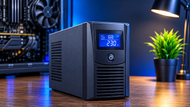
A power failure can be a small inconvenience at home or a serious working problem for a business. A desktop PC may shut down before work is saved, an office network can disconnect users and a server can interrupt an active workload. An Uninterruptible Power Supply (UPS) helps bridge that gap by using stored battery energy to keep connected equipment powered for a limited time. Depending on the model and topology, it can also regulate voltage, filter electrical noise and provide surge protection. From home PCs to data centers, the goal is continuity.
What is an uninterruptible power supply?
An uninterruptible power supply is a backup power system that provides temporary electricity when the primary power source is lost or moves outside an acceptable range. NIST defines a UPS as a device with an internal battery that allows connected devices to run for at least a short time after the primary power source is lost.
For a PC or laptop, that short window can be enough to save files and shut down safely. In an office, a Computer UPS can keep important workplaces and networking equipment available through a brief interruption. In a server room, a UPS Power Supply may support servers, storage and switches until utility power returns or another backup source becomes available. Runtime and protection features depend on battery capacity, connected load, topology and the specific model.
Different Types of UPS Systems
UPS systems are usually grouped into Standby UPS, Line Interactive UPS and Online UPS. They differ mostly in how power flows through the unit and how they respond to changes in the incoming supply.
Standby UPS
A Standby UPS normally passes utility power to connected equipment while keeping its battery ready. When the input fails or leaves the specified range, it transfers the load to the inverter and battery. This design is commonly used for home computers, laptops and basic office equipment.
A standby design can provide practical UPS Battery Backup for home users without the complexity of a higher end system. Even so, buyers should check capacity, output waveform, transfer characteristics and protection features before connecting sensitive equipment.
Line Interactive UPS
A Line Interactive UPS adds voltage regulation to battery backup. It can correct certain high and low voltage conditions without trusting on the battery for every fluctuation. This topology is often used with office computers, networking equipment and smaller IT installations. The amount of voltage correction and output characteristics vary by model.
Online UPS
An Online UPS also called a double conversion UPS, converts incoming AC to DC and then back to AC through the inverter. The inverter normally supplies the load, so there is no conventional transfer period when utility power fails. Online systems are widely used for sensitive and mission critical equipment where power quality and continuity are important. They are generally more complex and can cost more than standby or line interactive designs.
How does an Uninterruptible Power Supply (UPS) work?
A UPS combines power conversion, energy storage and controls. The rectifier or charger converts incoming AC power to DC and manages battery charging depending on the architecture. The batteries store energy for use during an outage, while actual runtime depends on capacity, connected load, battery condition, temperature and model.
The inverter converts DC energy into AC power for connected equipment. In an online UPS, it normally supplies the load continuously. In standby and line interactive systems, the inverter becomes the active source when battery process is required.
Larger installations may include static or maintenance bypass paths for defined working and servicing conditions. A maintenance bypass can allow the UPS to be isolated for service while the connected load remains supplied, depending on the system design.
The control unit monitors input power, load, battery status, alarms and faults. Depending on the platform, it can also support communications, remote monitoring, event information and controlled shutdown.
Functions and Protection Features of a UPS
Power failure protection is the core function: during an interruption, the UPS uses stored energy to keep the load running for the available runtime.
Voltage stabilization is available in many line interactive and online systems, although the correction range varies. Many UPS models also provide surge protection or filtering, while output waveform characteristics differ between products. High and low voltage protection may regulate abnormal input or move the load to battery when the input leaves the permitted range.
Certain UPS designs can help reduce or manage some harmonic related power quality problems, but this should not be treated as a universal feature. Online UPS systems can also provide controlled output frequency as part of normal process and avoid a conventional transfer break because the load is already supplied through the inverter. Standby and line interactive systems use a transfer process. Filtering may also reduce certain electrical noise reaching connected equipment.
Advantages and Disadvantages of UPS Power Supply
Advantages of UPS Power Supply
A UPS provides backup power during outages and helps stop sudden shutdowns. For a PC or laptop, the available runtime can give the user time to save work and perform a controlled shutdown. In a business, the same window can help IT teams maintain important systems during short interruptions.
Depending on the model, a UPS can also protect against certain voltage fluctuations, surges and electrical disturbances. Reduced exposure to some power quality problems may support equipment reliability and potentially help preserve component life, although a UPS does not guarantee a longer equipment lifetime.
Well suited software and communication features can provide another practical benefit by signalling a computer or server when battery runtime is low, allowing an orderly shutdown before available battery energy is exhausted.
Disadvantages of UPS Power Supply
A UPS has limited runtime, so it is normally intended for short term backup rather than replacing a generator during a prolonged outage. Longer runtime usually requires greater battery capacity, which can increase system size and cost.
Battery maintenance is another consideration. Batteries age, require monitoring and finally need replacement. Higher capacity and online systems can also involve more investment, installation planning and servicing.
UPS electronics consume energy and generate heat, so efficiency, ventilation and working conditions matter. The U.S. Department of Energy recommends considering efficiency, capacity, power conditioning needs, redundancy and required process time when selecting UPS equipment.
Key UPS Components
- Battery: Stores the energy used during a power interruption.
- Inverter: Converts stored DC energy into AC power for connected equipment.
- Rectifier / Charger: Converts incoming AC to DC and manages charging, depending on the UPS architecture.
- Static Switch: Supports fast transfer or bypass functions were included in the design.
- Control Unit: Monitors load, battery status, alarms and working modes and may support communications.
Larger UPS Systems may also use external battery cabinets, communication cards, maintenance bypass equipment and modular power assemblies.
Applications of Computer UPS
A UPS for PC systems can support a desktop, monitor, router and other essential devices through short outages. Gaming PCs and workplaces deserve closer attention to UPS Wattage, output waveform and total load because their power requirements can be higher than those of a basic office computer.
Offices usually use UPS systems for workstations, switches, routers, VoIP equipment and storage. Keeping these devices powered can reduce disruption and allow a controlled shutdown.
Servers and data centers have more demanding requirements. A Server UPS or Data Center UPS can support servers, storage, network equipment and other critical infrastructure. Depending on the environment, IT teams may also need redundancy, monitoring, bypass arrangements and extra battery capacity. A Rack Mount UPS can fit in power protection into rack based installations.
Networking equipment such as routers, switches, firewalls and wireless infrastructure can also benefit from UPS Battery Backup when the load is correctly sized. Medical and industrial environments may use UPS systems for sensitive equipment, subject to applicable safety, electrical, installation and manufacturer requirements.
Considerations for Selecting and Using UPS Systems
Start with the equipment that needs protection. Estimate the expected load and compare it with both the UPS VA rating and watt capacity. UPS Wattage and VA measure different aspects of capacity, so leave reasonable room for normal variation and planned growth instead of sizing exactly to today's load.
Choose the topology according to the workload and electrical environment. A Standby UPS may suit a basic home PC; a Line Interactive UPS can be useful where voltage regulation is needed and an Online UPS is often considered for sensitive or mission critical loads. The exact specification remains model dependent.
Runtime should match the purpose of the installation. A home user may need only enough time to save files and shut down, while an IT team may need the UPS to bridge the gap until a generator or another backup source becomes available. Published runtime should be checked at the expected load.
Compatibility is equally important. Verify input voltage, frequency, connectors, output waveform, battery technology and communication requirements. Procurement teams should also compare battery replacement cost, efficiency, monitoring, serviceability, ventilation, mounting and future capacity.
The U.S. Department of Energy notes that UPS efficiency varies with loading and that modular UPS systems can be useful where partial load process and future growth are expected.
A UPS and a PC power supply unit (PSU) perform different jobs. The UPS provides backup and power protection, while the PSU converts incoming electricity for the computer's internal components. For the PSU side of a PC build, see How to Pick the Right Power Supply Unit In 2026: for Your PC Build.
Future Trends in UPS Technology
Smart monitoring is becoming more important as organizations manage UPS equipment across server rooms, edge sites and distributed IT environments. Connected platforms can provide status information, alarms, battery data and remote visibility. Eaton also describes cloud connected UPS systems with remote monitoring and management capabilities.
AI based maintenance is moving into commercial UPS services. On June 30 2026, Schneider Electric announced an expansion of its EcoCare service for three phase UPS equipment that combines AI powered condition based maintenance with 24/7 remote monitoring.
Lithium-ion batteries are gaining adoption in some UPS applications because they offer different space, weight and lifetime characteristics from outdated VRLA batteries. On August 10 2026, Schneider Electric announced an APC Smart UPS platform supporting either VRLA or lithium-ion batteries.
Cloud based management and remote diagnostics can help IT teams monitor distributed installations without frequent site visits. Modular UPS System designs can allow capacity or redundancy to increase as requirements change, depending on the platform. Energy efficiency also remains important because UPS losses add to electricity and cooling demand.
Conclusion
An Uninterruptible Power Supply provides a controlled bridge between the electrical supply and equipment that needs to remain available during an interruption. For home computers and laptops, that may mean enough time to save work and shut down safely. For offices, servers and data centers a UPS can form part of a broader power continuity strategy.
Before selecting a UPS System, review the actual workload, UPS Load Capacity, VA and watt ratings, expected runtime, topology, output characteristics, protection features, battery requirements, efficiency, installation space and monitoring. Enterprise IT teams may also need redundancy, bypass arrangements, maintenance planning,and future expansion. Matching the UPS to the use case is more important than simply choosing the largest capacity available.
Frequently Asked Questions
A: A UPS monitors incoming power and supplies connected equipment from utility power or stored battery energy according to its working mode. When the primary source fails, the battery and inverter provide temporary backup power.
A: Runtime depends on battery capacity, connected load, battery condition, temperature and the specific model. Smaller units may provide enough time for a controlled shutdown, while larger battery configurations can support loads for longer.
A: The main UPS Components are the battery, inverter, rectifier or charger, control unit and switching equipment such as a static switch. Larger systems may include external batteries and bypass equipment.
A: The three common types are Standby UPS, Line Interactive UPS and Online double conversion UPS. They differ in power flow, voltage regulation, conditioning and transfer behavior.
A: Online double conversion UPS systems are usually used for critical IT loads because the inverter normally supplies the load and provides strong power conditioning. The appropriate configuration depends on workload, redundancy, runtime and site conditions.
A: A UPS can help stop sudden shutdowns during power interruptions. Check the computer's actual power draw and the UPS's wattage, output waveform and compatibility before choosing a model.
A: A rack mount UPS is designed to fit into an equipment rack making it useful for server rooms and data centers where power protection needs to be combined with rack based IT equipment.