

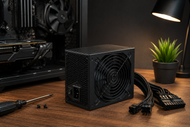
A power supply can make a costly PC feel dependable or unstable. It feeds the processor, graphics card, motherboard, storage, cooling, and USB devices every second the machine runs. Poor voltage control can cause restarts, crashes, black screens, and damaged parts during a fault.
PC hardware has changed fast. Graphics cards can pull sharp bursts of power, compact cases leave less room for cables, and newer units now follow ATX 3.1 with the revised 12V-2x6 graphics connector.
The right Power Supply Unit PSU in 2026 needs more than a large wattage number. You must match the load, physical size, cable set, connector standard, Power Supply Efficiency, safety circuits, and expected service life.
Decoding Core Hardware Metrics: How Much Power Do You Need?
Start with the graphics card and processor, since they draw the most power. Add their rated board power or maximum package power, then allow for the motherboard, memory, storage, fans, pumps, lighting, USB devices, and add-in cards.
A PSU calculator can help, but read the CPU and GPU maker’s guidance too because factory overclocks and short power spikes can change the result.
Use this working formula:
GPU power + CPU power + 100 to 150 watts for the rest of the system + 20 to 30% headroom = target PSU range
Suppose a graphics card draws 250 watts, and the processor draws 120 watts. Add 130 watts for the board, memory, storage, cooling, and connected devices.
The estimate reaches 500 watts. Add 25% headroom, and you reach 625 watts, so a quality 650-watt or 750-watt Power Supply makes sense. Intel gives a similar example, while the current 2026 buying guidance also supports a 20 to 30% buffer.
So, How Many Watts? An office PC with integrated graphics may need 300 to 450 watts. A mainstream gaming PC commonly lands between 650 and 850 watts.
A high-end gaming or workstation build may need 850 to 1200 watts, especially with a top-tier GPU, a power-hungry processor, several storage devices, or heavy overclocking. Your parts decide the final number.
Headroom does not mean buying the largest unit on the shelf. A 1200-watt PSU does not pull 1200 watts at all times; the computer draws only what it needs. Good Computer power supplies leave some room without doubling the expected load.
New graphics cards can also create very short power jumps above their normal rating. Intel’s ATX 3.1 design guide includes tests for brief excursions that reach twice the PSU rating for units above 450 watts with a 12V-2x6 connector.
Understanding Power Supply Efficiency
Power Supply Efficiency tells you how much wall power reaches the computer and how much turns into heat inside the PSU. If a PC needs 450 watts and the PSU runs at 90% efficiency, it draws about 500 watts from the wall. The missing 50 watts becomes heat.
The 80 PLUS program tests internal power supplies at set loads. For 115-volt desktop units, Bronze must reach 82% efficiency at 20% load, 85% at 50%, and 82% at full load.
Gold raises those figures to 87, 90, and 87%. Platinum requires 90, 92, and 89%. Titanium adds a 10% test and reaches 90, 92, 94, and 90% across the four measured loads.
For most new gaming and business desktops, 80 PLUS Gold gives a sound balance between price, heat, and power use. Platinum can suit workstations that run for long hours each day.
Titanium makes more sense in costly systems that stay busy for much of the day. Bronze can still serve a lower-cost build when independent tests show steady voltage and low electrical ripple.
Do not treat the metal badge as a full quality score. 80 PLUS measures conversion efficiency. It does not grade fan quality, capacitor choice, soldering, cable thickness, voltage control, electrical noise, fault protection, or service support. Compare the exact model.
Spatial Integration: Form Factor and Cabling Preferences
Measure the case before buying the PSU. Standard ATX power supplies share a common width and height, but their depth can vary.
A long unit may block a storage bay, press against a radiator, or leave too little space for cable bends. Small cases may accept only SFX or SFX-L units. Standard SFX measures 125 mm wide, 63.5 mm high, and 100 mm deep.
Your Form Factor and Cabling Preferences should match the case layout, not just the motherboard size. A Mini-ITX motherboard does not always require an SFX PSU because many small towers still accept ATX units.
Check the case specification for supported PSU type, maximum length, fan direction, cable clearance, and bracket needs.
ATX 3.1 deserves attention in a 2026 gaming build. The standard changed the earlier 12VHPWR socket design and renamed it 12V-2x6. This connector can carry up to 600 watts to a compatible graphics card.
Choose a PSU with a native 12V-2x6 cable when your GPU supports it. Push the plug fully into place and avoid a sharp bend close to the socket.
The Modular vs. Non-Modular choice affects building ease, not raw output. A non-modular PSU keeps every cable fixed to the unit.
A semi-modular model fixes the main motherboard and CPU leads while letting you remove some other cables. A fully modular PSU lets you connect only the cables you need.
Never assume modular cables work across different PSU models. Two plugs may look identical at the PSU end while carrying different pin layouts. The wrong cable can destroy storage devices, a graphics card, or the motherboard.
Types of Commercial Power Devices
A desktop PSU handles power inside one computer. Other Power Devices solve different jobs around mobile equipment, network racks, backup systems, and building power.
Battery Chargers
Battery Chargers control voltage and current while restoring energy to rechargeable cells. The charging method must match the battery chemistry because lithium-ion, lead-acid, and nickel-based batteries need different limits and stages.
Charger circuits may control current and voltage, watch temperature, show charge status, and balance cells.
Match the output voltage, connector, current limit, battery chemistry, and manufacturer part number.
Power Distribution Unit PDU
A Power Distribution Unit PDU sends power to several devices in a rack. Basic models act as rack-mounted outlet strips.
Metered units show current draw. Switched and network-managed models can track loads, set alarms, control outlets, and restart equipment from another location.
Check input plug type, voltage, amperage, outlet count, rack position, and monitoring needs. A PDU does not always provide battery backup or surge protection.
Power Injectors
Power Injectors add DC power to an Ethernet cable while data travels through the same cable. They help when a network switch lacks Power over Ethernet, or PoE, ports. A PoE injector can feed an access point, IP camera, or desk phone without a nearby wall adapter.
Match the injector’s PoE standard and wattage to the endpoint. Also, confirm Ethernet speed, cable type, and distance.
Power Inverters
Power Inverters convert DC power from a battery, vehicle, or solar source into AC power for standard equipment. They support field work, vehicles, emergency kits, and off-grid systems.
Choose one by continuous wattage, short surge rating, input voltage, outlet type, and waveform. Motors and some power supplies may work better with a pure sine wave model.
Surge Suppressors
Surge Suppressors limit short voltage spikes before those spikes reach connected hardware. They add another protection layer for desktops, monitors, network devices, and chargers. They do not replace a quality PSU, correct wiring, grounding, or a UPS where a power cut can stop work.
Check the clamping rating, joule rating, outlet count, status light, and replacement guidance. Surge parts wear with repeated events.
Reliable IT hardware helps businesses handle more users, data, and workloads as they grow. Read our Guide to the Role of IT Hardware on Business Growth and Scalability 2026 to learn how servers, storage, networking, memory, and power systems support stable expansion.
Component Protection PSU: Rails, Protection Circuits, and Lifecycles
Most PC hardware draws heavily from the +12V output. A single-rail PSU places the available +12V current under one over-current limit. A multi-rail design divides that output across several protected paths. Neither layout wins by default.
A well-designed single rail makes cable planning easier for a high-draw GPU, while a well-set multi-rail design can stop a smaller section sooner during an overload.
Read the label for combined +12V wattage, not just the large total wattage on the box. A good 750-watt model should provide most of its output on +12V because the CPU and GPU rely on it.
Look for over-voltage protection, over-current protection, short-circuit protection, over-power protection, under-voltage protection, and over-temperature protection.
OVP shuts the PSU down when the output voltage rises too far. OCP stops unsafe current on a protected rail. Intel also calls out OVP and short-circuit protection when choosing a desktop PSU.
Fan behavior matters too. Many newer PC power supplies keep the fan off under a light load, then raise speed as heat climbs. Dust, blocked vents, high room heat, and constant near-limit use age the unit faster.
Do not replace a sound PSU on a rigid yearly schedule. Judge its age, warranty, heat, workload, noise, and connector support.
Current product lines can carry warranties from five to twelve years. Replace the unit sooner if it smells burnt, clicks, shuts down under load, shows heat-damaged plugs, or lacks the connector support for a major upgrade.
Sourcing Verified Desktop Power Supplies at Scale
Bulk buying needs tighter checks than a one-off home build. Record the system model, motherboard connector, PSU form factor, wattage, +12V capacity, input voltage, cable set, GPU connector, efficiency tier, warranty, and approved replacement part number. This stops a warehouse from filling with units that fit electrically but not physically.
Use a small approved model list where possible. It makes spare stocking, technician training, cable control, warranty claims, and replacement work easier.
Keep modular cable kits tied to their matching PSU. For branded desktops and older workstations, search by the original maker’s part number because some systems use proprietary shapes, pin layouts, or mounting points.
CTS Point lists desktop and laptop Power Supplies, PDUs, inverters, injectors, chargers, and surge products. Its catalog also includes older replacements identified by maker, system family, wattage, and part number, plus a bulk quote option.
Conclusion
Pick the PSU after you know the full build. Calculate the CPU and GPU load, add the rest of the system, leave 20 to 30% room, then check ATX or SFX fit, cable length, connector type, efficiency, +12V output, protection circuits, fan behavior, warranty, and model test results.
For a newer high-power GPU, favor an ATX 3.1 unit with a native 12V-2x6 cable.
Business buyers should treat Power Supplies as controlled infrastructure parts. A wrong unit can delay deployment, confuse repair teams, and place costly hardware at risk.
CTS Point can help source current desktop units and matching replacements for older branded systems. Share the computer model, old PSU part number, wattage, connector photos, quantity, and deployment date before ordering.
Frequently Asked Questions
A: Add the graphics card power, processor power, and 100 to 150 watts for the motherboard, memory, storage, fans, pumps, and USB devices. Add another 20 to 30% for short spikes and later upgrades, then choose the next normal PSU size above the result.
A: At 115 volts, 80 PLUS Gold requires 87% efficiency at 20% load, 90% at 50%, and 87% at full load. Platinum raises those points to 90, 92, and 89%, so it wastes less power as heat.
A: Buy a tested model that meets your wattage estimate, fits the case, carries every needed connector, and includes the main protection circuits. For many new gaming builds, an 80 PLUS Gold ATX 3.1 unit with 20 to 30% headroom and a native GPU cable gives a sound starting point.
A: A quality PSU may serve for seven to ten years, and some current product lines carry ten-year or twelve-year warranties. Replace it earlier after electrical damage, repeated shutdowns, burnt smells, damaged plugs, or an upgrade that exceeds its wattage or connector support.
A: A modular PSU lets you install only the cables the build needs. That reduces cable crowding and makes assembly easier, especially in compact cases, but you must use only cables approved for that exact PSU model.
A: CTS Point can help identify matching legacy units when you provide the workstation maker, model, original PSU part number, wattage, connector details, and case shape. Its catalog includes older OEM replacements for branded desktops and workstations, so part-number matching gives the safest route.