

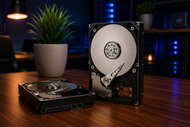
Storage needs keep climbing every year, and 2026 is no different. Game files now cross 150GB each, and business teams sit on years of documents, backups, and project archives that never stop growing.
A desktop hard drive handles all of it without draining your wallet. While SSDs grab attention for speed, the humble HDD still holds its ground when you need serious space at a fair price.
Gamers want room for massive libraries. Offices want safe, dependable places to keep client records and financial files. Both groups lean on high-capacity storage that keeps working day after day.
A good desktop hard drive gives you that mix of size, steadiness, and value that fast solid-state drives alone can't match.
Why Desktop Hard Drives Still Matter in Modern PCs
People love to say hard drives are dead. They're wrong. Walk into any data-heavy office or open the case of a gaming rig with a huge library, and you'll spot a spinning HDD doing the heavy lifting.
Growing storage demands in gaming and business push people toward bigger drives every year. A single modern game can eat 100GB or more. Add ten of those, plus recordings and mods, and your space vanishes fast. Businesses face the same crunch with video files, design projects, and endless email archives.
Cost-effective storage for large data requirements is where HDDs shine brightest. You can grab a 4TB desktop HDD for a fraction of what the same SSD space costs. When you need bulk room and don't want to spend a fortune, spinning drives win easily.
Reliable performance for daily computing keeps these drives popular. They handle file storage, media playback, and backups without complaint. For work that doesn't need split-second speed, an HDD does the job well.
Balance between speed and capacity is the real reason smart users keep them around. Pair a small SSD for your system and a big HDD for everything else, and you get the best of both.
Understanding Desktop Hard Drive Technology
A desktop hard drive is a storage device that keeps your data on spinning magnetic platters. Unlike SSDs that use flash memory chips, an HDD writes information onto physical disks that turn at high speed.
Here's how desktop hard drives store data. Inside the sealed case, one or more platters spin thousands of times per minute. A tiny read-write head floats just above each platter, flipping magnetic charges to record ones and zeros. When you open a file, the head moves to the right spot and reads it back.
The main components and internal mechanism include the platters, the spindle motor that spins them, the actuator arm that moves the heads, and the controller board that manages everything. These parts work together with impressive precision, and the gap between head and platter is thinner than a strand of hair.
The role of SATA interfaces ties the drive to your motherboard. SATA desktop hard drives connect through a standard cable that nearly every modern PC supports.
Current SATA III connections move data at up to 6 gigabits per second, which is plenty for storing games, files, and backups on a computer hard drive.
Desktop Hard Drives for Gaming Performance
Gaming setups chew through storage like nothing else. A desktop storage drive built for gaming gives you room to keep a full library ready to play.
High-speed storage for modern games matters more than people admit. A 7200 RPM drive spins faster than a 5400 RPM model, so it pulls game data quicker. For gaming, always aim for the higher speed. It shortens the wait when levels load and textures stream in.
You get faster loading times and game libraries that stay organized in one place. Instead of deleting titles to make room, a 4TB or 8TB drive lets you keep dozens installed. Older games and single-player titles run just fine from an HDD.
Performance for streaming and multitasking holds up well too. If you record gameplay or run a stream, all that footage needs somewhere to land. A big drive saves hours of video without slowing your session.
The best desktop hard drive setup for gaming PCs puts a fast SSD as your boot and main-game drive, then adds a roomy HDD for your wider collection. This combo suits professional gaming setups where both speed and space count. That mix keeps your competitive titles snappy while storing everything else affordably.
Desktop Hard Drives for Business Workloads
Offices run on data, and losing it can sink a company. A dependable computer hard drive gives businesses a safe home for the files they can't afford to lose.
Reliable data storage for office systems starts with drives built to run all day. Business models often carry longer warranties and steadier build quality, which pays off across years of use.
When it comes to desktop hard drives for business performance, capacity and steadiness beat raw speed. Accounting records, contracts, and shared folders sit safely on a large HDD without costing much per gigabyte.
Managing large files and daily operations gets easier with room to spare. Design firms, video editors, and legal teams deal with huge files daily. A high-capacity drive keeps active work and archives close at hand.
Storage solutions for professional environments frequently mix drives for backup and redundancy. Keeping a second copy on a separate desktop backup storage drive protects against sudden failures. For secure business data storage, many teams add scheduled backups so nothing slips away.
Choosing the Right Desktop Hard Drive
Picking a drive comes down to matching your needs with the right specs. Rushing this choice usually leads to running out of space too soon.
Capacity requirements for gaming PCs start around 2TB and climb from there. If you keep a large library or record video, jump to 4TB or 8TB. More room now saves you an upgrade later.
Business storage and backup needs often call for even bigger drives. A growing company should plan for years of records, so 8TB or larger makes sense. Buying ahead of your needs keeps things smooth.
Selecting the right RPM and cache size shapes daily performance. Go with 7200 RPM for active work and gaming. Look for a cache of 128MB or 256MB, since a bigger buffer helps the drive handle busy moments better.
Compatibility with modern motherboards rarely causes trouble. Almost every board has open SATA ports and a spare power connector. Just check that your case has an open bay and you're set.
Best Practices to Improve Desktop Hard Drive Lifespan
A drive that lasts saves you money and stress. A few simple habits keep your storage healthy for years.
Proper cooling and airflow protect the moving parts inside. Heat is the enemy of any spinning drive. Keep your case tidy, add a fan near the drive bays, and don't stack drives right on top of each other.
Routine maintenance and monitoring catch small problems early. Check your free space now and then, run disk cleanup, and defragment older drives once in a while to keep files tidy.
SMART diagnostics and health checks give you an early warning system. Free tools read the drive's built-in SMART data and flag rising error counts or bad sectors. If something looks off, back up your files right away and plan a replacement.
Preventing physical damage and data loss means handling drives with care. Never move a running PC roughly, since a bump can knock the heads into the platters. Keep steady power with a surge protector so sudden spikes don't fry the electronics.
The Future of Desktop Hard Drives in Gaming and Business Systems
Hard drives aren't standing still. Makers keep pushing them further even as SSDs grow popular.
Increasing storage capacity innovations lead the way. New recording methods like HAMR pack more data onto each platter, and drives above 30TB are already reaching the market. That means more space for the same footprint.
Desktop hard drives in AI and data-driven workloads are finding fresh purpose. AI projects generate mountains of data that need cheap, roomy storage. HDDs handle those giant datasets at a price that flash simply can't touch.
Future hybrid storage technologies blend speed and space in one box. Drives that mix a bit of flash with spinning platters give quick access to common files while keeping big capacity underneath.
The long-term relevance of HDD technology looks solid for years to come. As long as people create more data than they can afford to store on flash, spinning drives will keep a firm spot in gaming rigs and business systems alike.
Want to go deeper on storage as a whole? Our Ultimate Guide to Internal Hard Drives for Performance and Data Storage in 2026, breaks down every drive type, interface, and use case in one place.
Conclusion
Picking the right desktop hard drive really comes down to knowing what you'll store and how you'll use it. Gamers should chase capacity and 7200 RPM speed for their libraries.
Businesses should lean on dependable, high-capacity drives with solid backup plans behind them.
Performance and reliable storage go hand in hand. The right drive keeps your games loading, your files safe, and your work moving without a hitch.
Whether you're building a fast gaming rig or protecting years of company records, a quality HDD earns its place. Match the drive to your needs, care for it well, and it'll serve you faithfully for years.
Frequently Asked Questions
A: Yes. They're ideal for storing large game libraries, recordings, and older titles. Pair one with an SSD for your main competitive games and you get speed plus plenty of space.
A: They help by giving teams safe, roomy storage for files, backups, and shared projects. Less time worrying about space means more time getting work done.
A: Absolutely. Most gamers run an SSD for the system and favorite games, then use an HDD for their wider library and video files. It's the smartest and most common setup.
A: They are, especially for cold storage and backups. Keep a second copy on a separate drive and check the drive's health now and then for extra peace of mind.
A: Very much so. SATA III is a proven, stable connection that nearly every PC supports. These drives remain a safe, affordable choice for bulk storage.
A: HDDs use spinning platters and cost far less per terabyte. SSDs use flash memory and run much faster but cost more. Many people use both to balance speed and space.
A: Fragmented files, a nearly full drive, and aging parts all play a role. Regular cleanup, keeping some free space, and occasional defragmentation help keep speeds up.
A: They can run and store them fine, though load times are slower than an SSD. For big single-player titles an HDD works well. For fast competitive games, an SSD is the better pick.