

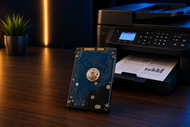
Most people walk past the office printer without a second thought. It sits in the corner, hums when someone hits print, and spits out paper.
What almost nobody realizes is that many of these machines quietly keep a copy of everything they touch. That copy lives on a printer hard drive, and for a modern business, understanding how it works is a bigger deal than it sounds.
Printing hasn't gone away. If anything, offices push more documents through their machines than ever, and those jobs pile up fast. When a printer can hold jobs, sort them, and process them in the background, work keeps moving.
When it can't, people stand around waiting, print queues clog up, and small delays turn into a daily annoyance that eats into real productivity. The hard drive inside your printer sits right at the center of that.
Why Businesses Still Rely on Printer Hard Drives
A printer hard drive is exactly what it sounds like: a storage disk built into the printer, working the same way the drive inside a computer does. It holds print jobs, scanned files, saved settings, address books, and often full images of the documents that pass through.
Bigger office machines and multifunction printers lean on this storage to juggle heavy workloads without choking.
Print data management has grown into a real part of running an office. Every invoice, contract, HR form, and client file that goes through the machine leaves a trail, and that trail has to be handled properly.
Businesses that treat their printer as a smart device, not just a paper machine, tend to run smoother and stay safer. The link between printing and productivity is simple. When documents flow without hiccups, people spend their time on actual work instead of babysitting a slow queue.
Why Printer Hard Drives Matter for Modern Businesses
When your office runs on paper, the storage inside your printer decides how fast things get done.
Supporting High-Volume Printing Operations
Busy offices send hundreds, sometimes thousands, of pages through a single machine every day. A printer with a proper hard disk can accept a big batch of jobs, hold them, and work through them steadily without freezing up.
Instead of forcing each computer to wait until the printer is free, the drive lets the machine take everything in and sort it out on its own time.
Improving Productivity Across Departments
Accounting, HR, legal, sales. Every team hits the same printer, often at the same time. A printer storage drive lets all of them drop jobs into the queue at once without stepping on each other.
Nobody has to hover and wait for their turn, and the workday keeps its rhythm.
Streamlining Document Processing Workflows
Scan a stack of documents, send them to email, save them to a folder, print copies. A printer with onboard storage can handle these steps without dropping data halfway through.
It holds the file, processes it, and moves it where it needs to go, which keeps multi-step tasks from falling apart.
Reducing Printing Delays and Bottlenecks
The worst office jams aren't paper jams. They're the digital pileups where ten people print at once, and everything grinds to a halt.
A printer disk drive absorbs that rush, queues the jobs in order, and clears them one by one so the whole thing keeps flowing.
Key Business Benefits of Printer Hard Drives
The payoff of good printer storage shows up in the small things that add up over a workweek.
Faster Print Queue Management
With a hard drive doing the heavy lifting, print jobs line up neatly and process in order. Big files don't block the small ones.
People get their pages when they expect them, and the "why is this taking so long" complaints fade out.
Improved Document Accessibility
Many business printers let you save frequently used files right on the device. Standard forms, letterhead, common templates.
Staff can pull them up and reprint on the spot instead of digging through email or shared folders every single time.
Better Workflow Automation
Onboard storage opens the door to automated routines. Scan-to-folder, secure print release, recurring report runs.
The drive holds the data long enough for these tasks to run cleanly, so repetitive jobs handle themselves instead of needing someone to click through every step.
Enhanced Operational Efficiency
Put it all together, and the office simply runs tighter. Less waiting, fewer reprints, smoother handoffs between people and departments.
A printer HDD quietly removes a lot of the friction that most offices just learn to live with.
Printer Hard Drives for Secure Business Printing
Here's the part that catches businesses off guard. That same drive that makes your printer fast also holds a record of what you print, and that record needs protecting.
Protecting Confidential Business Information
Networked office printers store images of the documents they process, which can include copies of scans, printed emails, faxes, and files sitting in the queue. Financial records, employee data, client contracts. All of it can end up saved on the disk.
If that drive is left open, sensitive material becomes an easy target for anyone who knows where to look. Reports on print security have flagged printers as a real weak point, with a large share of businesses having faced a print-related data breach.
User Authentication and Access Control
One of the strongest fixes is putting a lock on the machine itself. PIN codes, badge swipes, or login credentials mean a document only prints when the right person is standing there.
No more forgotten pages sitting in the tray for anyone to grab, and no jobs released until the owner is present.
Secure Print Release Features
Secure print release holds a job on the drive until the user authenticates at the printer. The file waits safely in storage, then prints the moment the person checks in.
This keeps confidential pages from piling up in the output tray where the wrong eyes can see them.
Compliance and Data Protection Requirements
Rules like GDPR and HIPAA don't care that the data is sitting on a printer instead of a server. If personal or medical information lives on that drive, it falls under the same protection standards.
When it comes time to retire a machine, wiping the disk properly matters too. The NIST 800-88 guidelines for media sanitization are the widely accepted standard for erasing storage so nothing can be recovered later.
Important Features to Consider Before Choosing a Printer Hard Drive
Picking the right storage for your printer comes down to matching the drive to how your office actually works.
Storage Capacity Requirements
Think about your print volume before anything else. A small team pushing light workloads needs far less than a busy department running big scan-to-file jobs all day. Too little space and the drive fills up and slows down. Match the capacity to your real daily load.
Reliability and Performance
A printer drive runs constantly, so it has to hold up. Look for storage built for steady, repeated use. A drive that stutters or fails takes the whole printer down with it, and a dead printer in a busy office brings work to a stop fast.
Security Features
Check whether the drive supports encryption and automatic data wiping. Self-encrypting drives scramble the stored data so it's useless if the disk is removed. Automatic wiping clears each job right after it finishes, so old files don't sit around. These features turn a risky component into a safe one.
Compatibility with Business Printers
Not every drive fits every machine. Make sure the storage works with your printer model and its firmware before you buy. The right match keeps setup clean and avoids performance headaches down the line.
Common Challenges of Printer Hard Drives
Printer storage brings real advantages, but it also comes with a few problems worth knowing about upfront.
Storage Capacity Limitations
Drives fill up. Large scans, image-heavy files, and stored templates eat space quickly. Once a drive gets crowded, the printer slows down, and jobs start backing up. Regular cleanup and the right size drive keep this from becoming a headache.
Security Risks and Data Exposure
The biggest risk is the one nobody sees. Sensitive documents saved on the disk can be pulled off through network gaps or by physically removing the drive. Malware can also land on a printer's hard drive and quietly sit there, watching traffic and lifting files without anyone noticing for a long time.
Print Queue Congestion
Even a good drive can choke when a flood of jobs hits at once. Oversized files and heavy scan batches clog the queue and stall everything behind them. Managing how and when big jobs go through helps keep the line moving.
Maintenance and Performance Issues
Like any storage, printer drives wear down over time and can fail. Skipping firmware updates leaves security holes open. A drive that's ignored for years becomes both a performance drag and a risk, so basic upkeep pays off.
The Evolving Role of Printer Hard Drives
Printer storage isn't standing still. The way offices print is shifting, and the drive inside the machine is changing with it.
AI-Powered Print Management
Newer print management tools use smart software to watch usage, spot patterns, and flag odd behavior. If a printer suddenly starts pulling huge volumes of data, the system can catch it early. This turns the drive from a passive box into part of an active security setup.
Cloud and Hybrid Printing Environments
Plenty of offices now mix local printing with cloud services. Even so, the physical drive still matters. It handles jobs at the machine, caches files for speed, and keeps things running when the network hiccups. Cloud and onboard storage work side by side rather than one replacing the other.
Smarter Document Management Systems
Printers are tying into broader document systems that route, tag, and store files automatically. The hard drive acts as the local hub in that chain, holding documents as they move between scanning, storage, and delivery. It keeps the whole process connected.
The Evolving Role of Printer Storage Technology
Storage itself is getting better. Faster solid-state drives, built-in encryption, and smarter wiping tools are becoming standard on business machines. The printer drive of 2026 is safer and quicker than the ones offices relied on just a few years back, and that trend is still climbing.
Conclusion
The printer in the corner does more than print. Its hard drive keeps your office fast, holds your jobs in order, and quietly stores a copy of the work that passes through. That's a strength and a responsibility at the same time.
For any modern business, the smart move is treating printer storage with the same care you'd give any other device that holds company data.
Pick a drive that matches your volume, lock it down with authentication and secure print release, keep the firmware current, and wipe it properly before the machine ever leaves the building.
Get those pieces right, and your printer stops being a hidden risk. It becomes a reliable, secure part of how your office gets work done, protecting your information while keeping productivity high.
Printer hard drives are one piece of a much larger storage picture. If you want to understand how internal drives power everything from office equipment to heavy enterprise systems, our Ultimate Guide to Internal Hard Drives for Performance and Data Storage in 2026 breaks down the full range of drive technology, from the storage in your printer to the high-performance disks running AI workloads and data centers.
Frequently Asked Questions
A: Modern businesses need printer hard drives because they handle high print volumes without slowing down. The drive holds and queues jobs so multiple people and departments can print at once, keeps scan-to-file and secure print workflows running smoothly, and prevents the digital pileups that stall busy offices during peak hours.
A: Businesses protect printer data by turning on user authentication and secure print release, encrypting the drive so files are unreadable if removed, and enabling automatic data wiping that clears each job after it finishes. Keeping firmware updated and fully wiping the drive before disposing of a machine closes the remaining gaps.
A: The most common risks are stored documents being accessed through network weaknesses, sensitive data being recovered from a physically removed drive, and malware installing itself on the drive to quietly steal files. Another big one is retiring or returning a leased printer without properly erasing the disk, which leaves old data behind.
A: Performance depends on storage capacity, drive speed, and how heavy the print load is. A drive that's too small or nearly full slows down and backs up the queue. Oversized files, heavy scan batches, missed firmware updates, and general wear over time all drag performance down if the drive isn't maintained.
A: Businesses securely erase printer data by using the machine's built-in overwrite or secure erase mode, which writes over old files so they can't be recovered. For retiring a device, following the NIST 800-88 media sanitization standard, or physically destroying the drive, ensures no sensitive data can ever be pulled from it afterward.
A: Yes, printer hard drives stay relevant even with cloud printing. The physical drive processes jobs right at the machine, caches files for faster output, and keeps printing working when the network drops. Cloud services and onboard storage complement each other, so the local drive still plays an active role in a hybrid setup.