

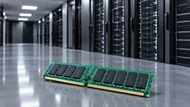
Buying memory for a server is one of those decisions that looks simple until you start checking compatibility. Capacity, memory type, processor support, workload and future expansion all matter. Choosing the wrong module can leave a system unable to boot or force an expensive replacement later.
In 2026, DDR5 is the natural starting point for new server platforms, while DDR4 continues to serve a large installed base. At the performance end, newer technologies such as MRDIMM are being developed for workloads that need more memory bandwidth. This guide is planned for IT managers, system administrators, business owners and system integrators who want to make a practical purchasing decision rather than choose RAM from a specification sheet alone.
What Is Server RAM?
Server RAM is the temporary working memory that keeps active application data and instructions readily available to the processor. When a server runs virtual machines, databases, web applications or other business software, that information is loaded into memory so the CPU can access it quickly.
The hardware used in servers is also designed differently from typical desktop memory. Registered DIMMs (RDIMMs), for example, use a register to buffer address and command signals, helping supported platforms manage larger memory configurations. ECC is another important consideration because supported memory systems can detect and correct certain errors. DDR5 adds On-Die ECC inside the DRAM chips, but that is an extra layer rather than a replacement for system level ECC.
Before ordering anything, start with the server model and processor. A module can have the right capacity and still be incompatible because of its memory generation, architecture, rank configuration or platform support.
The Different Types of Servers Memory
RDIMM: The Enterprise Standard
RDIMM or Registered DIMM, is a common choice in enterprise servers because it provides a good balance of capacity, stability, performance and cost. It is used across general purpose servers, virtualization hosts, databases and many business applications.
Both DDR4 and DDR5 platforms can use RDIMM, but the exact specification still has to match the server's processor and motherboard.
LRDIMM High-Density Configurations for DDR4 Platforms
LRDIMM stands for Load Reduced DIMM. Its buffering design reduces the electrical load presented to the memory controller, allowing compatible DDR4 server platforms to support higher memory capacities. This makes DDR4 LRDIMM mostly useful when capacity is the priority, such as in dense virtualization hosts, large database environments and other memory intensive placements.
LRDIMM is not simply a higher capacity version of RDIMM, though. The server platform must specifically support LRDIMM and these module types should not be mixed in the same system if the manufacturer explicitly supports the configuration.
MRDIMM: DDR5 Bandwidth at the Performance Tier
MRDIMM or Multiplexed Rank DIMM, is an advanced DDR5 technology designed for workloads where memory bandwidth is a major constraint. Its multiplexing architecture allows higher effective bandwidth than conventional DDR5 RDIMM configurations. Micron currently offers MRDIMM solutions reaching up to 8,800 MT/s.
This makes the technology related to AI, high performance computing, analytics and other memory intensive applications. MRDIMM is still a specialized option rather than a universal replacement for RDIMM, so buyers should confirm processor and platform support before specifying it.
MCRDIMM: The Next-Generation High-Bandwidth Module
MCRDIMM or Multiplexed Combined Rank DIMM, is a high performance DDR5 technology designed to increase memory bandwidth on supported platforms. Intel explains that it uses a buffer to combine data from several ranks allowing supported Xeon 6 systems to reach data rates as high as 8,800 MT/s.
This architecture is relevant to bandwidth hungry workloads such as AI, HPC, analytics and high density virtualization. It should be considered a platform specific solution rather than a general replacement for standard RDIMM.
CAMM2: A Compression-Attached Format Worth Knowing
CAMM2 or Compression Attached Memory Module 2, uses a different physical attachment method from outdated DIMMs. Instead of an edge connector, the module uses a compression based connection.
CAMM2 is related to newer memory designs, but its adoption has been more visible in compact client and workplace systems than in mainstream enterprise servers. For that reason, businesses should not assume that a DDR5 capable server will support CAMM2. The exact platform must list the form factor as supported.
Before choosing a module, it is also useful to understand memory types, compatibility and installation precautions in greater detail. See our Ultimate Memory Guide 2026: Memory Type and Installation Precautions for a broader reference.
Matching Server Memory to Your Workload Capacity and Type by Use Case
There is no useful one size fits all answer to memory capacity. A small file server and an AI system can have completely different requirements, so start with the workload and build from there.
Small Business Servers and Entry-Level Deployments
For basic file sharing, web services, smaller database and entry level business applications, 16-64 GB can be a reasonable starting range. The working system and applications still determine the actual requirement.
When planning an upgrade, think about what the server may need two or three years from now. Using larger modules and leaving supported slots available can make future expansion easier than filling every socket with smaller DIMMs from the start.
Virtualization Hosts and Multi-Tenant Environments
Virtualization can push memory requirements up quickly because every virtual machine needs its own allocation. 128-512 GB can suit many hosts but the number of VMs, guest workloads and expected growth should determine the final configuration.
On multi socket systems, balanced DIMM population and NUMA placement also matter. In practice, adding memory is not simply a matter of filling empty slots the platform's population guide can affect supported speed and complete memory performance.
Database and Analytics Workloads
Databases often benefit from extra RAM because frequently accessed data can stay in memory instead of being repeatedly read from storage. 64-256 GB may be suitable for many smaller and mid-sized environments, while larger datasets can require much more.
A better buying decision comes from looking at the working dataset, transaction volume, concurrent users and expected growth. Buying the largest available capacity without checking those factors can waste the budget without solving the actual bottleneck.
AI Training, Inference, and High-Performance Computing
AI and HPC workloads can require both large capacity and high bandwidth. Depending on the application, a system may need 256 GB or several terabytes of RAM.
When bandwidth is the limiting factor, a supported MRDIMM platform can be worth considering. Micron specifically positions MRDIMM for memory intensive AI and HPC workloads and reports higher bandwidth for its advanced configurations. Those gains are platform specific, so they should be treated as an engineering consideration rather than a guaranteed result for every server.
How to Choose the Right Memory Generation: DDR4 vs DDR5 for Server Platforms
DDR4 and DDR5 are separate memory generations, so the server platform determines which one you can use. They are not interchangeable.
DDR4 Server Memory remains important for current infrastructure, with standard JEDEC speeds reaching up to 3,200 MT/s. DDR5 server modules start at 4,800 MT/s and bring changes to signalling, power management, memory architecture and on-die error correction.
For an existing DDR4 server, matching the installed generation is generally the practical route. For a new placement in 2026, DDR5 is the stronger starting point where the selected processor and server support it. Kingston also recommends DDR5 for new server builds as DDR4 sourcing gradually becomes less attractive for future expansion.
Do not make the decision on speed alone. Platform compatibility, capacity requirements, memory channels, population rules and the expected service life of the server all belong in the calculation.
ECC Server Memory Why Error Correction Belongs in Every Production Environment
ECC or Error Correcting Code, is an important reliability feature in enterprise memory systems. Supported ECC configurations can identify and correct certain memory errors, reducing the chance that a correctable fault turns into an application or data problem.
DDR5 adds On-Die ECC, which operates inside individual DRAM chips. It improves error handling within the chip, but it does not provide the same function as system level ECC across the complete memory subsystem.
The internal DRAM width also matters. Kingston notes that x4-based modules can support multi-bit error detection and correction, while x8 modules provide single-bit error detection and correction. The appropriate choice should depend on the server's supported configuration and the importance of the workload.
For production systems, that makes ECC a reliability decision rather than a specification to choose only when the budget allows it.
What to Avoid When Buying Server Memory Seven Red Flags
Choosing Server Memory involves more than checking capacity and speed. Avoid these seven common mistakes to ensure compatibility, reliability and easier upgrades.
- No QVL Listing
Unlisted modules carry greater compatibility risk. Prefer QVL validated memory for supported server platforms.
- Grey-Market Sourcing
Unverified sellers may supply counterfeit, refurbished or out of spec modules. Buy from reputable suppliers with clear part numbers and warranty coverage.
- Consumer or Gaming RAM
Gaming RAM is designed for consumer systems. Enterprise Server RAM should be selected for server compatibility and long term reliability.
- No Warranty
Avoid memory without clear warranty coverage. A failed module can create replacement costs and unnecessary lost time.
- Mixing Module Types
Do not mix RDIMMs and LRDIMMs unless explicitly supported. DDR4 and DDR5 are also incompatible generations.
- Ignoring Speed Mismatches
Different memory speeds can cause modules to run at a lower speed or create compatibility issues. Check the current configuration before upgrading.
- Filling Every Slot
Using all slots at placement can eliminate future expansion options. Leave room for extra memory to support business growth.
Bottom line: Prioritize compatibility, validated specifications, reliable sourcing, warranty coverage and future upgradeability when choosing Server Memory.
Conclusion
The safest way to choose Server Memory is to work from the server outward. Start with the workload, estimate the required capacity, confirm the processor and platform support then choose the appropriate memory architecture and generation.
For current systems, compatible DDR4 may remain the most sensible option. For new server placements in 2026, DDR5 is generally the better long term starting point. RDIMM fits many everyday enterprise workloads, LRDIMM can address supported high capacity configurations and MRDIMM becomes more interesting when memory bandwidth is the constraint.
A careful compatibility check before purchase can stop the most expensive mistake of all buying memory that the server cannot use. CTS Point can help businesses evaluate options based on the server model, workload, capacity requirements and planned upgrades.
Frequently Asked Questions
A: Server memory is RAM designed for server platforms, with architectures and reliability features suited to enterprise workloads.
A: Yes. Available capacity affects VM density, while channel population and NUMA configuration can also affect performance on multi socket servers.
A: Check the exact server model and processor, then confirm the supported DDR generation, module type, capacity, speed and population rules before ordering.
A: Rank configuration can affect capacity, population limits, bandwidth and complete system behavior depending on the platform.
A: Workload, capacity, DDR generation, module architecture, ECC support, speed, processor compatibility, available slots and future growth all matter.
A: CTS Point can help businesses identify suitable options for virtualization and other enterprise workloads. The exact server model should be verified before ordering.