

Picking a scanner gets easy once you answer five questions: what you're scanning, how much of it, which format suits the paper, how fast you need the pages through, and how sharp the final file has to be.
Get those five right and the shortlist shrinks fast.
What Is the Scanner, and Why It's Still Essential
A scanner is a digitizing device. It reads a physical page, photo, receipt or ID card and turns it into a digital file you can store, email, search or back up. Capture the page, convert it, save it. That's the full job.
Paper hasn't disappeared in 2026. Signed contracts, delivery notes, tax records, patient forms, passports at a front desk, boxes of family photos in the loft. Cloud storage holds files, but something has to create the file first.
A phone camera works in a pinch, though it bends the edges and hands you a picture of paper instead of a clean document. Scanners give you flat pages, straight text, and file sizes that don't clog an inbox.
How Scanners Work: From Physical Page to Digital File
Inside every scanner sits a light source and a row of tiny sensors. On a flatbed, that row slides under the glass. On a sheet-fed model, the sensor stays still, and the paper glides past it. Either way, light bounces off the page, and the sensors read how much comes back, line by line, across the sheet.
Those readings become numbers, and each number becomes a pixel with a brightness and colour value. Stack the lines, and you have an image.
The software wraps it into a file, PDF for documents, JPEG or TIFF for photos, and drops it into a folder, an email, or a cloud drive. Document models add OCR, which reads the shapes of the letters and turns a picture of text into text you can search and copy.
That mechanism explains the spec sheet. Resolution is how many readings the scanner takes per inch, which is where DPI comes from, and speed is how fast the sheet moves past the sensor.
Understanding Your Scanning Requirements Before You Shop
Write down three things before browsing anything.
What you're scanning: Loose A4 documents behave nothing like bound books, old photos, thermal receipts, ID cards, or product barcodes. Stapled sets, torn pages and fragile prints rule out anything that pulls paper through rollers.
How much, and how regularly: Twenty pages a month is a different machine from 200 pages a day. Scanners carry a recommended daily duty cycle, and pushing past it wears the rollers and pick pads early.
Where it will live: A quiet desk, a busy retail counter, a warehouse aisle or a client's site. Desk work rewards a bigger machine. Field work rewards something that runs on a battery and fits in a bag. Those three answers point straight at a scanner type.
Main Types of Scanners
Flatbed Scanners: Precision for Delicate Originals
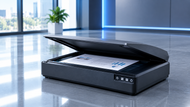
Flatbed scanners hold the item still on a glass bed while the sensor moves underneath. Nothing gets pulled or gripped, so bound books, brittle clippings, 40-year-old photos, and stapled sets all survive. Many use a CCD sensor with extra depth of field, which keeps the raised centre of an open book readable. The trade-off is pace.
Sheet-Fed Scanners: Speed for Everyday Paper Volume
Sheet-fed scanners run pages through an automatic document feeder, so you load a stack and walk away. Office feeders hold roughly 50 to 100 sheets and run 25 to 60 pages per minute. Better units add ultrasonic double-feed detection, which catches two sheets travelling together and stops the batch before you lose a page.
Portable Scanners: Digitizing on the Move
Portable scanners run off a battery or a single USB-C cable, weigh about a kilogram, and fit beside a laptop in a bag. Pages feed one at a time at roughly 8 to 15 per minute, saving to a memory card or a phone app. Site engineers, auditors, and sales reps use them to capture signed paperwork on the spot.
USB Scanners: Straightforward Wired Reliability
A USB scanner plugs into the computer and starts working. No IP address, no router settings, no password prompt at 9 am on a Monday. Many draw power from the same cable, so there's one lead on the desk. For one person at one machine, wired stays the calmer choice.
Desktop Scanners: The Everyday Office Workhorse
Desktop scanners fit a feeder, duplex scanning and mixed-media handling into a shoebox-sized footprint. Invoices, contracts, plastic ID cards and crumpled receipts run through the same paper path, which makes them the sweet spot for a small office scanning a few hundred pages a week.
Photo Scanners: Built for Colour Accuracy
Photo scanners chase detail rather than speed. Optical resolution runs from 2400 to 4800 DPI, colour depth reaches 48-bit, and a transparency unit in the lid scans 35mm negatives and slides by shining light through them. Infrared dust and scratch removal clears decades of storage damage, so photographers, designers, and anyone rescuing a family archive should buy this class.
Document Scanners: Optimized for Text and Forms
Document scanners are tuned for paperwork. They scan at 200 to 300 DPI, apply OCR to produce searchable PDFs, and clean pages with auto-crop, deskew, blank-page removal, and colour dropout that erases a form's coloured background but keeps the handwriting. Admin teams, HR files, and accounts records live here.
Barcode Scanners: Built for Retail and Inventory
Barcode scanners read printed codes rather than pages. Laser models handle 1D barcodes cheaply, while 2D imagers read QR codes, damaged labels and codes shown on a phone screen. They come as handheld guns, hands-free counter units or fixed mounts, wired by USB or paired over Bluetooth.
Handheld Scanners: Fast Grab-and-Go Capture
Handheld scanners capture one item at a time. Some swipe across a page, others read a passport or ID card in a second at a reception desk. They suit quick checks rather than volume.
High-Speed and Production Scanners: Engineered for Volume
Production models run 100 to 200 pages per minute, with feeders holding 500 sheets or more and duty cycles rated in the tens of thousands of pages a day. They split batches using patch codes and run saved job profiles, so an operator presses one button. Records departments and scanning bureaus buy this class of high-speed scanner.
Scan Speed and Resolution: What They Mean for Your Results
Resolution: 300 DPI is the standard for text and gives OCR everything it needs. Move to 600 DPI for small print, fine line drawings, or engineering plans. Photos reprinted at the same size sit at 600 DPI, while 35mm negatives and slides need 2400 DPI or higher because you're enlarging a tiny original.
Speed: Makers quote pages per minute (ppm) and images per minute (ipm). IPM counts both sides, so a duplex machine posts a higher ipm figure from the same paper path. On a 500-page day, the gap between 25 ppm and 50 ppm costs about ten minutes at the machine.
Duplex scanning: Duplex captures both sides in one pass using two sensor rows. No reloading the stack upside down, no re-sorting, no mixed-up page order.
The mistake most buyers make: Scanning everything at maximum resolution. A colour page at 600 DPI runs several times the size of the same page at 300 DPI, which slows the scanner, fills the drive, and makes files painful to email. Match the setting to the job: 300 DPI black and white for contracts, high DPI colour for photos.
USB or Wireless? Picking the Right Connection
A USB scanner installs in minutes. Plug the cable in, load the driver, scan. No network setup, no signal to drop, no queue behind someone else's big job. Speed holds steady on long batches, which is why busy scanning desks stay wired.
Wireless earns its place when several people share one machine, or when the scanner sits away from any computer. It sends files straight to email, a network folder, or cloud storage, and phones can pull scans without a cable. The cost is setup time, reliance on Wi-Fi strength, and a small speed penalty on heavy batches.
If you're refreshing office hardware, scanning and printing decisions overlap, and our Ultimate Printer & Cartridges Buying Guide 2026: Tips and Recommendations covers printer types, running costs, and cartridge choices in the same practical way.
Scanners for Every Stage: Personal, Small Business, and Enterprise Picks
Personal use: A flatbed or a portable scanner covers home life. Flatbed for photo albums, certificates, and anything fragile; portable for students and anyone scanning away from a desk.
Small business: Desktop scanners and compact sheet-fed models handle daily document flow: a 50-sheet feeder, duplex, 25 to 40 ppm, and OCR built in. That mix clears a day's invoices and signed forms without babysitting.
Enterprise: Departments digitizing archives or processing thousands of forms weekly need production scanners, or a high-speed scanner with a 500-sheet feeder, hardened rollers, and batch separation. The higher price pays back in operator hours and fewer jams.
A Quick Checklist Before You Buy
- Content type: documents, photos, books, ID cards, receipts, or barcodes
- Volume: pages per day, and whether that sits inside the rated duty cycle
- Format fit: flatbed for delicate originals, sheet-fed or desktop for stacks, portable for the road
- Connectivity: USB for one desk, wireless for shared or remote placement
- Duplex: worth it the moment two-sided paperwork turns routine
- Software: OCR, searchable PDF output and direct save to your folders or cloud
Conclusion
Five decisions carry the whole purchase: what you scan, how much you scan, which format handles that paper, how fast the pages need to move, and how sharp the file has to be. Answer those and the right scanner picks itself.
There's a sensible fit at every level, from one flatbed in a home office to a production line clearing 200 pages a minute.
At CTS Point, we match scanners to real workloads instead of pushing the biggest number on the box. Tell us what's piling up on the desk, and we'll point you at the machine that clears it.
Frequently Asked Questions
A: 600 DPI suits printed photos you'll reprint at their original size, and 1200 DPI if you want to enlarge them. Negatives and slides need 2400 DPI or higher, since you're blowing up a very small original.
A: Match volume to the rated daily duty cycle. Under 100 pages a day suits a desktop or flatbed model. Between 100 and 1,000 pages calls for a sheet-fed scanner with a 50- to 100-sheet feeder. Past that, buy a production model.
A: Speed decides how long someone stands at the machine. At 25 ppm, 500 pages take about 20 minutes. At 50 ppm with duplex, the same stack clears in half that time, and nobody reloads it upside down for the reverse sides.
A: Neither wins outright. A USB scanner is faster to set up, steadier on long batches, and free of network problems. Wireless suits shared machines and placements away from a computer. Teams with heavy daily batches lean wired.
A: Duplex captures both sides in one pass, so two-sided documents take half the time and stay in the right order. It cuts paper handling, removes the reload step, and lowers the chance of missing a reverse page in a big batch.
A: Yes. Share what you scan, your daily page count, and where the scanner will sit, and our team will shortlist models for that workload, covering format, speed, resolution, duplex, and connection options that fit how your office already works.