

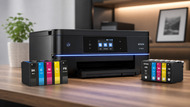
Buying printers and cartridges sounds simple until you actually start shopping. Then you hit a wall of model numbers, ink codes, page yields, and price tags that swing wildly for machines that look almost identical.
Pick wrong and you either overpay for a printer you barely use, or you buy a cheap one that drinks ink and jams during every big job.
This guide will e walk you through how printers and cartridges work together, how to match the right cartridge to your machine, and how to read the numbers that actually matter before you spend a rupee, dollar, or dirham.
Whether you're kitting out one home desk or ordering a fleet of machines for a whole office floor, the same rules apply.
Let's get into it.
Printing Infrastructure: Hardware & Consumable Sync
Your printing setup isn't just a printer. It's a small system where the machine and its core supplies have to work as one.
People call this printing infrastructure, and the whole point is that every part talks to every other part. A printer with the wrong cartridge, weak wireless, or no way to track supplies will slow you down no matter how good the hardware looks on paper.
Think of it in two halves. First, the machines: the actual printers, scanners, and any attached hardware. Second, the core supplies: the cartridges, toner, ribbons, and paper that keep those machines producing.
Buy the machine without planning for the supplies and you've bought half a solution. The best printer in the world is a paperweight the day it runs dry and you can't find a matching cartridge.
The part most buyers miss is the connection layer. Wireless sync lets several people send jobs to one printer without cables, and it lets that printer sit anywhere with a signal instead of chained to a desk.
For bigger setups, fleet management goes a step further. It's software that watches every printer at once, tells you which one is low on ink, which one keeps jamming, and how much each machine is costing you. If you run more than three or four printers, this is the difference between guessing and knowing.
When your hardware and supplies stay in sync, you stop firefighting. Jobs finish on time, nobody scrambles for a cartridge mid-print, and your costs stop hiding. That's the goal before you buy a single thing.
Buying the Right Cartridges
The cartridge is where most people quietly bleed money, so this deserves real attention. A cartridge is the small tank or block that feeds ink or toner into your printer. Buy the wrong one and it won't fit, won't print, or worse, leaks inside the machine and damages it.
Match the cartridge to your hardware
Rule one: the cartridge has to match your exact printer model. Not the brand, the model. Two printers from the same maker often use completely different cartridges, and a code that's one digit off will not work.
Every printer lists its supported cartridge numbers in the manual or on a label near the ink bay. Write that number down and buy only that number. This one habit saves more returns and headaches than anything else in this guide.
Longevity: anti-clog and high-capacity
Not all cartridges last the same. Two things decide how long yours goes: capacity and build quality.
High-capacity cartridges (often marked XL or "high yield") hold far more ink or toner, so you swap them less often and pay less per page even though the sticker price is higher. For any printer you use daily, high-capacity is almost always the smarter buy.
Build quality matters too. Cheap cartridges dry out and clog the print head, which shows up as streaky, faded pages. Good printer cartridges use anti-clog design and sealed nozzles so the ink flows clean even after the machine sits idle for a few days.
If you print in bursts rather than every day, this feature saves you the frustration of a blocked head.
Consumables: the ink itself
The liquid inside matters as much as the shell. Premium ink cartridges for printers use stable, high-grade dye that lays down sharp text and true color, and resists fading over time.
Bargain-bin ink often looks fine for a week, then dulls, smears, or bleeds on cheaper paper. If your prints leave your building, invoices, labels, marketing, anything a client sees, the ink quality is not the place to cut corners.
What Type of Printer You Should Buy?
The right printer comes down to two questions: how much do you print, and what does each page cost you? Answer those honestly and the choice gets easy.
Start with volume. Count roughly how many pages you go through in a month. A few hundred pages is light use. A few thousand is medium.
Tens of thousands is heavy, office-level printing. Buying a light-duty printer for heavy work burns it out fast, and buying a heavy machine for light work wastes money you'll never earn back.
Then look at cost-per-page, or CPP. This is the single most useful number in printer buying and almost nobody checks it. To get it, take the price of a cartridge and divide it by how many pages that cartridge prints (the page yield, listed on the box).
A printer that's cheap to buy but has a high CPP will cost you far more over two years than a pricier machine that sips ink. Always compare the CPP, not just the shelf price. That's how you spot the real cost of ownership before it surprises you.
Different Types of Printers
Printers are not one thing. Each type is built for a different job, and using the wrong one is slow and expensive. Here's a clear breakdown of the main types so you can match the machine to the task.
Laser Printers
Laser printers use toner, a fine powder, fused onto the page with heat instead of liquid ink. That makes them fast and razor-sharp on text. They're the workhorse for any place that prints a lot of documents, contracts, reports, or forms.
Toner also lasts far longer than ink per page, so for heavy text work the running cost stays low. If your work is mostly black-and-white paperwork in volume, this is your machine.
InkJet Printers
Inkjet printers spray tiny drops of ink through fine nozzles onto the page. Their strength is color. Photos, graphics, and anything with rich, vivid shades look better from a good inkjet than from a standard laser.
They cost less up front too, which makes them popular for homes and small offices. The trade-off is a higher cost per page on heavy runs, so they suit lower-volume, color-first printing best.
All-in-One Printers
An all-in-one printer does three jobs in one body: print, scan, and copy (many also fax). For a home office or small business, this is the practical pick because it replaces three separate machines and saves desk space.
You get everyday printing plus the ability to scan documents and make quick copies without buying extra gear. For most home setups, this is the sweet spot.
Multifunction Printers
Multifunction printers (MFPs) are the bigger, tougher cousins of all-in-ones, built for busy workgroups and heavy network use.
They connect to many users at once, handle large daily volumes, and offer features like secure print release, high-capacity paper trays, and advanced scanning. If you're outfitting a full office floor or a whole department, an MFP is built to take that load day after day.
Thermal Printers
Thermal printers skip ink and toner completely. They use heat to create the image directly on special heat-sensitive paper.
No cartridges to replace means lower running costs and less maintenance, which is why logistics, shipping, and warehouse operations lean on them. If you print high volumes of simple output and want to drop the cartridge cost entirely, thermal is the answer.
Receipt Printer
A receipt printer is a compact thermal machine built for one job: printing receipts fast at a point of sale. You'll see them at every retail counter, cafe, and checkout desk.
They're quick, small, and reliable under constant use. If you run a shop, restaurant, or any POS-based billing counter, this is the printer you need beside the till.
Label Printer
A label printer prints sticky labels, most often shipping and address tags. E-commerce sellers and warehouses rely on them to churn out clean, scannable labels all day without feeding sheets of sticker paper through a normal printer.
If you ship parcels or manage inventory, a dedicated label printer pays for itself fast in saved time and neater packages.
Barcode Printer
A barcode printer is a specialized label machine that prints crisp, scannable barcodes for product tracking. Warehouses, retail stockrooms, and any operation that scans items in and out depend on them.
The barcodes have to be sharp and consistent or scanners misread them, so these printers are tuned for accuracy. If your business runs on inventory tracking, this is essential kit.
Dot Matrix Printers
Dot matrix printers are old-school but far from dead. They print by striking an inked ribbon against the paper, which lets them print through multiple carbon copies at once.
That impact printing is exactly why they still rule for multi-part invoices, delivery notes, and any form where you need several copies in one pass. No laser or inkjet can do that. For carbon-copy paperwork, dot matrix is still the only real choice.
Plotters
Plotters are wide-format machines built for huge, detailed prints. Using continuous ink over large rolls of paper, they produce blueprints, architectural drawings, and engineering plans at full size with fine line accuracy.
Architects, engineers, and design firms use them because a normal printer simply can't handle the scale. If your work involves large technical drawings, a plotter is the tool for the job.
Buying the Right Printer for Scale
Buying one printer is easy. Buying fifty across several offices is a different game, and treating it like a single purchase multiplied is how budgets blow up.
When you buy at scale, standardize first. Pick one or two printer models for the whole operation instead of a mix of ten.
Standard models mean standard cartridges, so you stock fewer supply types, train staff once, and swap parts across machines when one breaks. This bulk deployment approach keeps your whole fleet simple to run and cheap to feed.
Sourcing matters just as much. Centralized ordering, buying all your printers and cartridges through one channel, gets you better pricing, one invoice instead of fifty, and one point of contact when something goes wrong.
Chasing supplies from a dozen sellers wastes hours and hides your real spend. One reliable source, one clear cost, one team that knows your setup. That's how smart operations buy hardware.
If you're weighing how printing hardware fits into your wider tech spend, it helps to see the full picture of how equipment choices shape a growing business. Our Guide to The Role Of IT Hardware On Business Growth And Scalability 2026, walks through how printers, computers, and networking gear work together to support a company as it grows, and where smart hardware decisions save money at every stage. It's worth a read once you've sorted your printing needs here.
Why Business Infrastructure Choose CTS Point for Printers & Cartridges
Sourcing printers and cartridges for a whole business needs more than a checkout button. It needs range, reliability, and someone who can handle scale. That's where CTS Point fits.
The catalog is the first reason. CTS Point carries a multi-vendor lineup, meaning you can source laser printers, inkjets, thermal units, label and barcode printers, and matching cartridges from many brands in one place. No hunting across sellers to complete a setup, it's all under one roof, ready to ship across the US.
For bulk buyers, the value goes deeper. CTS Point works on pre-checked bulk contracts, so the pricing and compatibility are sorted before you order rather than after something arrives wrong.
And for larger rollouts, scaled fleet deployment means your printers and supplies land where they need to, when they need to, without you juggling a dozen shipments.
For any business buying beyond a single machine, that combination of stock, checked contracts, and clean logistics is what makes sourcing simple.
Conclusion
Buying printers and cartridges the right way comes down to a few clear moves. Know your print volume. Check the cost-per-page, not just the sticker price. Match every cartridge to your exact printer model.
Pick the printer type built for your actual work, laser for heavy text, inkjet for color, thermal for inkless logistics, and the specialized machines for labels, barcodes, receipts, and large drawings. And when you buy at scale, standardize your models and source everything through one reliable channel.
Get those right and your printing setup stops being a running headache. It just works, quietly and cheaply, in the background where it belongs. Take the numbers in this guide with you next time you shop, and you'll never overpay for a printer or a cartridge again.
Frequently Asked Questions
A: For most homes, an all-in-one inkjet printer is the most reliable pick. It prints, scans, and copies in one machine, handles color well for photos and documents, and costs little up front. If your home printing is mostly plain text and you print often, a small laser printer will cost less per page over time and needs less upkeep.
A: It depends on the machine. Light-use inkjets suit a few hundred pages a month. All-in-ones and small lasers handle one to a few thousand pages comfortably. Office multifunction printers are built for tens of thousands of pages a month. Always check the printer's rated monthly duty cycle on the spec sheet, and stay below it so the machine lasts.
A: Find your printer's exact model number, usually printed on the front or on a label inside the ink bay. Then look up the cartridge numbers that model supports in the manual or on the maker's compatibility list. Buy only those exact cartridge codes. A number that's close but not exact will not fit or print, so match it precisely.
A: Laser printers are not being phased out. They remain the standard for high-volume text printing because they're fast and cheap per page. What is changing is that inkless thermal printers now handle jobs like shipping labels and receipts more cheaply, and inkjets have improved for color work. So lasers are used more selectively, not replaced.
A: Laser printers and heavy-duty multifunction printers typically last the longest, often many years of steady use, because they have fewer moving ink parts and are built for volume. Dot matrix printers are also famously durable and can run for years in tough conditions. Lifespan mostly comes down to buying a machine rated for your print volume and keeping it clean.
A: Procurement teams choose CTS Point because it solves the hard parts of bulk buying: a multi-vendor catalog that covers every printer and cartridge type in one place, pre-checked bulk contracts so pricing and compatibility are confirmed before ordering, and scaled fleet deployment that gets everything shipped where it's needed. That means fewer suppliers to manage, clearer costs, and reliable delivery for large rollouts.