

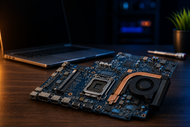
Two laptops can look identical and still use different motherboards. Changes in the processor, graphics chip, screen cable, charging port, or cooling system can make a replacement unusable. Buying by model name alone wastes money.
The motherboard links the processor, memory, storage, screen, battery, ports, wireless card, and cooling controls. It carries power and data between them.
An incompatible board may cause no display, failed charging, fan errors, lost ports, or no startup. Before buying laptop motherboards, check the exact board details, not only the series. Check twice before you order.
What Is a Laptop Motherboard?
Definition and Role in a Laptop
What is a motherboard in a laptop? It is the main circuit board that connects the hardware, distributes power, carries data, and starts the machine through firmware.
This explains how a laptop motherboard connects the CPU, RAM, and storage. The CPU processes instructions, RAM holds active data, and the drive stores files. Board traces, controllers, and data lanes move information among them. Memory and storage limits can reduce speed.
How It Differs From a Desktop Motherboard
Desktop boards follow common sizes and sockets. Laptop boards fit one chassis or model family, with screw holes, ports, display connectors, fan headers, and battery sockets placed for that design.
Manufacturers solder many laptop CPUs, GPUs, and memory chips to the board. A higher-spec board from the same series may still need another heatsink, charger, screen cable, or power rating.
Key Components of a Laptop Motherboard
The CPU runs instructions. Intel Core and AMD Ryzen laptop processors commonly sit directly on the board.
The GPU creates display output and 3D graphics. A gaming laptop motherboard needs suitable power and cooling for dedicated graphics.
Storage controllers connect SATA drives or NVMe SSDs and set the available interface and speed.
The BIOS chip stores startup firmware, hardware checks, and security settings. Wrong firmware can cause boot failure, missing features, or fan problems.
Types of Laptop Motherboards
OEM vs Aftermarket Motherboards
An OEM board comes from the laptop maker or approved supply chain. It carries a spare part number and should match the firmware, connectors, sensors, and chassis.
The term OEM vs aftermarket laptop motherboard needs care. Many “aftermarket” listings sell repaired, reclaimed, or refurbished OEM boards. Ask about source, repair history, processor, graphics option, BIOS status, and testing.
Price alone proves little. Clear photos, matching labels, written test results, and a useful return window provide better evidence.
Gaming, Business, and Budget Motherboards
Gaming boards support higher-power CPUs, dedicated graphics, stronger voltage regulation, and larger cooling systems. Business boards may include fingerprint, smart card, mobile broadband, or docking connections. Budget boards may offer fewer ports, one storage slot, limited RAM, or soldered memory.
Do not assume a gaming board can upgrade a budget laptop. The chassis, cooler, charger, screen connection, and BIOS may block the swap.
Key Specs to Understand Before Buying
RAM Type and Maximum Supported Capacity
A DDR4 laptop motherboard cannot accept DDR5 memory because the modules use different electrical designs and key positions.
A DDR5 laptop motherboard needs a compatible processor and firmware. Thin laptops may use nonreplaceable LPDDR memory.
Check the memory type, speed, slot count, soldered amount, and maximum capacity. Processor limits matter because supported memory varies across mobile processor families.
Single-channel memory uses one path; dual-channel support uses two. Matched modules can raise bandwidth for integrated graphics and memory-heavy work. Soldered memory may also run in dual-channel mode.
Storage Compatibility
SATA and NVMe drives may share an M.2 shape, but they communicate differently. Some slots accept only NVMe; others accept SATA, NVMe, or a wireless card. Shape alone does not confirm support.
Check drive length, PCIe generation, and lane count. PCIe 4.0 doubles PCIe 3.0’s raw lane rate; PCIe 5.0 doubles it again. A newer SSD may run at a lower supported speed, while heat and lane limits affect real use.
Connectivity and Power Management
Compare every port with the case openings because many ports sit directly on the board.
USB-C names the connector, not its features. A port may support data, charging, video, USB4, or Thunderbolt. USB4 shares data and display traffic, while Thunderbolt sets separate bandwidth and feature rules.
Power management covers charging, voltage conversion, sleep control, and protection. Match charger wattage, battery connector, DC-in design, and graphics power needs. Physical fit does not prove electrical compatibility.
Understand Performance Impact of Motherboard Choice
Chipset Role in Performance
The laptop motherboard chipset role in system performance centres on communication and feature support. The platform determines PCIe lanes, USB options, storage support, display outputs, memory rules, and security features.
The chipset cannot make a slow CPU fast, but memory, SSD, port, or power limits can restrict a capable chip. Weak power circuits can cause crashes, shutdowns, charging faults, or reduced sustained speed.
Thermal Design and Efficiency
A laptop holds its best speed only while its board, heatsink, heat pipes, fans, sensors, firmware, and vents control heat.
A replacement board must match heatsink contact points and thermal pad locations. Dedicated graphics may need a larger cooler. Dry paste or missing pads can trigger throttling, which lowers speed during long gaming or editing sessions.
Performance Factors to Look For
CPU Performance
Intel Core and AMD Ryzen names do not confirm performance alone. Check the processor code, core count, power class, generation, graphics, and cooling limit. Identical processors can run differently under different sustained power limits.
Laptop CPUs commonly come soldered to the board, so replacement may also change the processor. Confirm what the listing includes and whether the seller tested it under load.
Hardware and Performance Considerations
Extra storage may add more value than a small CPU change. Two M.2 slots add space without removing the first drive. Replaceable RAM and wireless cards extend useful life.
For a broader comparison, read our guide Which Motherboard Should You Buy in 2026? A Complete Guide for Every Build. It compares platforms, processors, memory, storage, ports, and upgrade plans.
Common Mistakes Buyers Make
Many buyers order before checking the original part number. One model name may cover several revisions, processors, graphics options, screens, and regional layouts.
Choosing price over quality creates risk. A cheap board may hide corrosion, poor solder repairs, a BIOS password, missing identifiers, or an untested charging circuit.
Use this laptop motherboard quality check-before-purchase guide: inspect photos, labels, and connector edges; request a BIOS screen and test proof; confirm return terms.
Do not ignore BIOS requirements. Boards may need correct firmware, serial data, or security settings. A motherboard change can also affect Windows activation because the system may treat it as new hardware.
Avoid unverified sellers. Check their history, written warranty, return shipping rules, and dead-on-arrival cover.
Do not skip thermal service. Replace old paste and damaged pads, tighten heatsink screws in order, and disconnect the battery before touching connectors.
Conclusion
Laptop Motherboard Compatibility depends on exact details. Match the part number, revision, CPU, GPU, RAM, storage, display connector, ports, battery, charger, cooler, and BIOS before paying.
Is laptop motherboard replaceable? A technician can replace many boards, but repair may cost too much on an older machine. Compare price with age, condition, value, and expected life.
Liquid damage, surges, heat, corrosion, failed power parts, and cracked solder joints explain what causes motherboard failure. Test the charger, battery, RAM, screen, and storage first.
Frequently Asked Questions
A: Main parts include the CPU, GPU, memory connections, storage controllers, BIOS chip, power circuits, charging controller, port controllers, display connector, wireless connections, and fan headers.
A: Match the exact model, original part number, revision, CPU, GPU, ports, screen cable, battery connector, heatsink, and BIOS needs.
A: A failed RAM module or drive can stop booting, cause crashes, or create an electrical fault. Test these parts separately before blaming the board.
A: Start with the exact OEM spare part number, then confirm the revision and installed hardware options.
A: The platform controls processor support, memory rules, storage lanes, ports, display features, power behaviour, and firmware support. A mismatch may stop startup.
A: Yes. Long heat exposure can weaken power parts, dry thermal materials, stress solder joints, and damage nearby components.
A: Yes. It affects CPU and GPU choices, power limits, memory bandwidth, storage speed, display outputs, and cooling control. The graphics chip still has the largest direct effect.
A: Yes. Good soldering, stable power delivery, correct cooling, clean repair work, and reliable components reduce crashes and early failure.
A: Check the service manual, parts lookup, original board label, BIOS details, or a hardware identification tool. Record both the printed board code and the manufacturer’s spare number.