

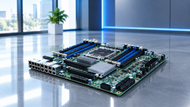
A server can have a powerful processor and plenty of storage but none of that matters much if the underlying platform cannot support them properly. The motherboard determines which CPU and memory the system can use, how much expansion is available, how storage networking and management features fit together. Server motherboard technology in 2026 is gradually focused on higher memory capacity, faster I/O, NVMe storage AI ready expansion and easier remote administration. For IT teams understanding those capabilities before purchase can stop compatibility problems and provide useful room for future upgrades.
Why Server Motherboards Matter in Modern Computing
Server motherboards provide the foundation for the computing, memory, storage and connectivity resources used by a server. Their design affects scalability, reliability and how easily a system can adapt when business workloads change.
Understanding Server Motherboards
A server motherboard is the main circuit board that connects the processor, memory storage, networking hardware, expansion cards, firmware and management components. It provides the electrical connections and communication pathways that allow the system to work as a single platform.
The difference is easier to see when comparing server and desktop systems. Desktop boards usually target consumer or general purpose workloads while server platforms are designed for sustained process, larger memory configurations, server class processors, extensive I/O and remote management. AMD EPYC 9005 family for example includes processors with up to 192 cores 12 DDR5 memory channels and up to 160 PCIe 5.0 lanes on supported models.
Who Uses Server Motherboards?
Enterprises and data centers depend on server platforms for business applications, databases, virtualization, cloud services and other workloads where reliable process and centralized management matter. Smaller businesses may use a server for file services, backup NAS or internal applications without needing a large multi socket environment.
Server hardware also has a place in home labs. Users may choose it for virtualization, testing, development or storage projects. However the extra management features and higher capacity can come with greater power use, noise, cost and compatibility requirements.
Key Components of a Server Motherboard
Understanding how a server motherboard works becomes easier when its major components are viewed as one connected system. The processor, memory, expansion, storage and networking capabilities all need to complement the workload rather than being selected independently.
Processor and Memory Support
CPU compatibility isn't just about the socket. The motherboard also needs to support the exact CPU generation, the correct BIOS or firmware version, power requirements, memory type and platform features. This is important when comparing AMD EPYC or Intel Xeon systems because features can change between generations and models.
Memory planning deserves the same attention. DDR5 is now a key part of modern server platforms because it supports higher data rates and large capacity configurations. ECC memory adds protection against certain memory errors which is valuable for long running workloads.
A DDR5 server motherboard does not automatically support every DDR5 DIMM. Module type, capacity, speed, rank and supported population rules depend on the platform. Checking the manufacturer validated memory specifications before purchasing helps avoid boot failures and instability.
Expansion and Connectivity
PCIe provides the expansion path used by GPUs, accelerators, storage controllers and network adapters. As systems become more densely equipped, available PCIe lanes and how they are allocated can be more important than simply counting physical slots.
Storage options vary as well. A server motherboard with NVMe storage support can provide high bandwidth, low latency storage for demanding applications while SATA and SAS can remain useful where capacity, cost or current infrastructure is the priority. Network connectivity may be combined or provided through an add-in NIC depending on bandwidth and port requirements.
Server Motherboard Form Factors Explained
Physical compatibility is just as important as technical support. A motherboard can have the right processor and expansion capabilities yet still be unsuitable for the chassis, cooling system or power design.
Standard Form Factors
ATX, E-ATX and SSI-EEB are among the form factors used in server oriented systems. Their dimensions and mounting arrangements can vary so the form factor name alone should not be treated as a complete compatibility check.
A larger board may provide more memory slots or expansion space but that does not automatically make it the better choice. The right option depends on the hardware required and the physical constraints of the placement.
Server Chassis Compatibility
Rack servers are designed for dense installations, making airflow, cooling, cable routing and service access especially important. Tower servers offer more room but they still require compatible mounting, power and thermal arrangements.
For procurement teams checking the motherboard and chassis together is one of the simplest ways to avoid an expensive mistake. Processor support does not guarantee that the complete server will fit or work correctly.
Essential Features to Consider Before Buying
The best motherboard is not necessarily the one with the most impressive specification sheet. Performance, scalability, reliability, management and future upgrade needs should all be considered before making a purchase.
Performance and Scalability
Choosing between a single socket vs dual socket server motherboard should start with the workload. Single socket systems can provide enough capacity for many business applications while keeping cost and complexity lower. Dual socket platforms are more useful when extra CPU resources, memory channels or I/O capacity are genuinely required.
Expansion is equally important and if a business expects to add memory, storage, GPUs or network adapters later the board should have enough practical headroom to support those changes for infrastructure planned in 2026 this can be more valuable than paying for capacity that will never be used.
Reliability and Management
Enterprise systems need more than performance. ECC memory helps address certain memory errors, while a Baseboard Management Controller or BMC provides an independent path for hardware monitoring, power control and remote administration.
IPMI has usually been used for these management functions while Redfish offers a standardized RESTful approach for modern infrastructure management. DMTF's Redfish specification is actively maintained with version 1.23.1 released in January 2026.
Firmware level security is also important. UEFI Secure Boot verifies and authenticates boot components during startup. This helps create a trusted boot process before the operating system loads.
Choosing a Server Motherboard for Different Workloads
Workload requirements should drive motherboard selection. A virtualization host, AI system, storage server and home lab may need very different combinations of compute, memory, storage and expansion.
Enterprise and Data Center Use Cases
Enterprise environments often require a balanced platform with strong CPU resources, high memory capacity, fast storage, networking and remote management. Virtualization can place mostly high demands on these resources because one physical system may support many virtual machines.
That is why understanding how server motherboards support virtualization technology requires looking beyond CPU cores alone. Memory capacity, storage performance, PCIe resources, networking and management features all affect how effectively the server can support virtual workloads.
For organizations comparing the best server motherboard for virtualization the strongest option is usually the platform that provides enough capacity today without creating unnecessary limits on tomorrow's expansion.
SMB and Home lab Use Cases
SMBs and home lab users often need a more practical balance. A single socket platform may be enough for file services, NAS workloads, backups, development or a smaller virtual environment. ECC memory and remote management can still be useful but paying for unused server capacity can reduce the complete value of the system.
Common Mistakes to Avoid
CPU mismatch is one of the easiest mistakes to make because socket compatibility does not guarantee support for a particular processor generation. Firmware, power requirements, memory architecture and platform support also need to align.
Using the wrong memory can make a server unstable or even stop it from booting. Before buying, check the motherboard manual or QVL for the supported DIMM type, capacity, speed and configuration. Do not assume that any module with the right generation such as DDR4 or DDR5 will work.
Chassis compatibility is another common issue. Mounting points, cooling clearance, airflow, power connections and expansion space must all match. Treating the motherboard, chassis, cooling system and power supply as one platform is a safer purchasing approach.
Future Trends in Server Motherboards
Server motherboard technology in 2026 is being shaped by AI infrastructure, faster I/O, larger memory requirements and energy efficiency. PCIe 5.0 is already established across current server platforms while PCIe 6.0 represents the next major step in I/O bandwidth. The standard defines a 64.0 GT/s signalling rate and targets data intensive environments such as data centers, AI/ML and high performance computing.
AI ready systems also increase demand for accelerator support, fast networking, NVMe storage and strong power and cooling capabilities. At the same time, higher compute density makes efficiency more important. The direction is toward platforms that balance performance with scalability, manageability and power use.
For readers looking beyond server hardware: Which Motherboard Should You Buy in 2026? A Complete Guide for Every Build provides broader guidance on motherboard compatibility, features and system selection.
Conclusion
Server motherboards determine how effectively the main components of a server can work together. Processor support, memory architecture, PCIe resources, storage connectivity, networking, management, cooling and chassis compatibility all affect the final system.
The right choice depends on the workload. A virtualization host may need high memory and CPU scalability, an AI system may prioritize accelerator and PCIe support while an SMB or home lab may care more about cost, power use and practical expansion. Evaluating the complete platform rather than one specification helps businesses choose infrastructure that remains reliable and adaptable as requirements grow.
Frequently Asked Questions
A: A server motherboard is built for heavy, non-stop work. It supports server grade processors, ECC memory, more RAM slots, more PCIe lanes, more storage and network connections and remote management. A normal desktop motherboard is mainly for home, office and general use.
A: Yes. some can. Certain server boards have two CPU sockets, which give cores, more memory channels and I/O capacity. It depends on the processor family and the motherboard platform.
A: First decide what workload the server will run and which processor it needs then check RAM capacity, DIMM compatibility, PCIe slots and lanes, storage ports, networking, chassis fit, cooling, power requirements, remote management and future upgrade options.
A: ECC memory (Error Correcting Code) catches some memory errors and fixes them by itself. Servers use it because they run for long hours and data must stay correct. It cuts down crashes, data corruption and lost time.
A: A BMC is a dedicated management controller that can work independently of the host working system. IPMI is a management interface used with BMC equipped systems for monitoring power control and remote administration.
A: Server motherboards use power delivery circuitry designed to provide stable power to processors, memory and expansion hardware. The complete power design also depends on the processor, power supply cooling system chassis and installed devices.
A: Yes. They can be useful for NAS systems, virtualization labs development and testing because of features such as ECC support high memory capacity and remote management. Power consumption, noise, cost and compatibility should still be considered before choosing enterprise hardware for home use.