

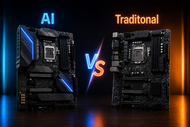
A motherboard choice affects every later upgrade. Pick the wrong socket, memory type, size, or storage layout, and good hardware may not work together.
Modern desktop motherboards connect CPUs, RAM, graphics cards, NVMe drives, USB devices, networks, and cooling.
Some boards add AI-based tuning. These tools read temperatures, fan speeds, processor behavior, and workloads, then suggest settings.
Traditional boards leave more work inside the BIOS. This has made AI vs traditional desktop motherboards a real buying question in 2026.
Understanding Desktop Motherboards and AI Integration
What Is a Desktop Motherboard?
A desktop computer motherboard links the CPU, RAM, graphics card, storage, cooling, networking, audio, power supply, and ports.
The socket decides which processor fits. The chipset controls expansion lanes, USB ports, SATA devices, and other connections.
On a traditional PC desktop motherboard, the user or maker sets each option. You can set fan curves, memory profiles, power limits, boot order, and processor behavior through BIOS or UEFI. It does not select settings through an AI model.
What Makes a Motherboard AI-Powered?
An AI-powered motherboard still uses normal hardware. The label refers to firmware or software that reads sensors and makes tuning choices.
Some tools estimate processor settings. Others adjust fans, manage network traffic, guide BIOS setup, or tune memory.
These features reduce manual work. They do not replace the CPU, RAM, or GPU. Features differ by model, so read the specification instead of trusting the word “AI” on the box.
Core Features to Consider in a Desktop Motherboard
CPU Socket and Platform Compatibility
Choose the processor first. Current Intel Core Ultra chips use Intel 800-series boards, while AMD Ryzen chips use Socket AM5. A matching socket may still need a BIOS update, so check the processor support list.
Buyers asking which desktop motherboard should I buy for my PC should study the upgrade path. AMD has stated AM5 support through 2029. Future CPU choices affect value.
Memory Support and RAM Tuning
A board supports DDR4 or DDR5, not both, apart from separate model versions. Their slots use different keys and electrical designs. Current AM5 and Intel 800-series platforms use DDR5. Older platforms may use DDR4.
To learn how to know if a motherboard supports DDR4 or DDR5, check its specification, manual, memory list, or RAM-slot labels.
AI tools can suggest useful starting memory profiles, but the RAM kit, CPU, BIOS, and slot layout set the limits.
Storage Connectivity
Buyers asking how to know motherboard supports NVMe SSDs should read the storage table. Check each M.2 slot for PCIe support, drive sizes, PCIe generation, lane sharing, and boot support.
SATA ports still connect hard drives, 2.5-inch SSDs, and optical drives. Some M.2 slots disable SATA ports.
Motherboard Chipset and Performance
The chipset affects port counts, expansion lanes, storage choices, overclocking access, and business features. A costly chipset does not make a basic CPU faster by itself.
People asking what chipset is best for desktop motherboard performance should match it to the build.
A gaming or creator PC may need more lanes and tuning controls. An office PC motherboard may suit a lower-tier chipset.
VRM and Power Delivery
The VRM converts power for the CPU and other parts. Good power stages, heatsinks, and control design help the board hold steady voltage during long workloads.
Do not judge power design by phase count alone. Controller quality, stage rating, cooling, and BIOS limits matter.
Key Features Found in Modern AI Desktop Motherboards
Modern AI desktop motherboards may offer processor tuning, fan control, power adjustment, monitoring, network management, and setup help.
AI overclocking studies CPU and cooler behavior before suggesting clock and voltage settings. Smart cooling changes fan speeds with heat.
Some boards switch profiles for games, office work, or media tasks. Others guide users toward BIOS options. These tools save time, but cannot fix weak airflow, poor cooling, or unstable firmware.
How Traditional Desktop Motherboards Operate
Traditional desktop motherboards keep tuning in your hands. You can load a memory profile, set fan curves, adjust power limits, change voltages, select boot devices, and tune the processor through UEFI.
Manual control suits users who know their targets. It can produce a quieter fan curve or a tested overclock. It also needs reading, stability tests, and temperature checks. Wrong voltage or weak cooling can cause crashes, heat, or shorter part life.
AI vs Traditional Desktop Motherboards: Major Differences
Performance and Efficiency
AI tools change settings quickly from sensor data and stored tuning models. Traditional boards rely on presets or manual changes. Both can reach strong performance. Board quality, cooling, CPU limits, and correct settings matter more than the AI label.
Cooling and Power Management
AI cooling adjusts fan behavior as load and temperature change. Manual boards let users draw fan curves and set power limits. AI suits less setup. Manual control suits exact noise and temperature targets.
Ease of Use and Customization
AI features give new builders guided settings. Traditional controls provide direct access to each option. Many AI boards keep manual controls.
Cost and Long-Term Value
AI-labeled models can cost more because makers place these tools on higher-tier boards. Pay for them only when you will use them. A lower-priced desktop gaming motherboard with the right socket, VRM, ports, and storage can serve the same PC for years.
Advantages and Limitations of AI Desktop Motherboards
Benefits
AI-assisted boards reduce trial and error. They can create a starting point for CPU tuning, cooling, memory setup, and monitoring. This helps first-time builders avoid hours of BIOS work.
Drawbacks
The tools can raise the price and depend on brand software. Updates may change behavior, and automatic settings need testing. Some functions require Windows software or background services.
Advantages and Limitations of Traditional Desktop Motherboards
Benefits
Traditional boards cost less and give skilled users direct control. They suit office systems, budget builds, repair PCs, and tuned gaming rigs. Manual BIOS settings also avoid extra apps.
Drawbacks
The user must understand temperatures, voltage, memory profiles, fan headers, and stability checks. Beginners may leave performance unused or choose unsafe settings. Traditional boards lack automated setup advice.
Which Type of Motherboard Is Best for Different Users?
Gamers
A gaming desktop motherboard buyer should check CPU support, GPU slot layout, VRM cooling, M.2 slots, networking, and USB ports. AI cooling helps, but hardware matters.
Content Creators
Look for several NVMe slots, enough USB ports, strong power delivery, high RAM capacity, and stable performance.
Business and Office Users
A business board needs reliable networking, useful display ports, security support, enough storage, and stable firmware. AI overclocking adds little for routine office work.
PC Enthusiasts and Overclockers
Enthusiasts can use AI suggestions as a starting point, then test manual settings. BIOS access matters more than one-click tuning.
Budget-Conscious Buyers
Skip unused extras. Put compatibility, power design, needed ports, and a practical upgrade path first.
For a wider buying process, read our blog, Which Motherboard Should You Buy in 2026? A Complete Guide for Every Build. It covers platform, size, chipset, ports, upgrades, and budget choices for gaming, work, home, and creator PCs.
Common Mistakes to Avoid When Choosing a Desktop Motherboard
Desktop motherboard buying mistakes to avoid include choosing the wrong socket, assuming every CPU works after a socket match, mixing DDR4 with DDR5, and buying the wrong size. ATX, microATX, and mini-ITX boards need matching cases.
Buyers also miss lane sharing, limited M.2 support, blocked SATA ports, weak VRM cooling, missing Wi-Fi, or too few USB ports. Paying for unused overclocking, RGB, or premium audio wastes money.
To learn how to check the desktop motherboard model in Windows, open PowerShell and run Get-CimInstance Win32_BaseBoard | Select Manufacturer, Product, Version. You can also read the model printed on the board. Use that exact model to find the manual and CPU support list.
Future Trends in AI-Powered Desktop Motherboards
Motherboard makers will add guided BIOS help, fault checks, cooling control, workload profiles, and memory training. AI tools may explain failed boots, suggest safer settings, and compare sensor readings with stable ranges.
Useful progress will come from tools that explain changes, work inside firmware, protect manual control, and offer rollback. An AI name means little when software hides settings or gives no reason for its choices.
Conclusion
Choose an AI desktop motherboard when you want guided tuning, automatic cooling changes, live system help, and less manual setup.
Choose a traditional computer motherboard when you want a lower price, direct BIOS control, fewer software layers, or a basic office build.
Do not buy by label. Check the socket, chipset, RAM type, size, M.2 support, SATA ports, VRM, rear connections, BIOS features, and upgrade path. A well-matched traditional board beats a poorly chosen AI model. An AI board earns its price only when its tools solve real tasks.
Frequently Asked Questions
A: Check the specification, manual, model name, and RAM slot label. DDR4 and DDR5 use different slots and cannot replace each other.
A: You can keep parts that match the socket, RAM type, case, power connections, storage, and graphics slot. A platform change may require a new CPU and RAM.
A: Business boards may add remote management, longer supply plans, security controls, and office firmware. Consumer boards focus more on gaming, tuning, audio, and appearance.
A: It matters when the CPU includes graphics, and you use the motherboard’s display ports. A CPU without integrated graphics cannot produce video through them.
A: ECC memory can detect and correct certain memory errors. The CPU, motherboard, BIOS, and memory modules must all support the chosen ECC mode.
A: Power phases help supply steady voltage to the processor. Design quality and cooling affect heat, stability, and support for high-power CPUs.
A: SATA ports connect hard drives, SATA SSDs, and optical drives. They help when M.2 slots run out, or large storage costs matter.
A: Choose the CPU first. Then compare socket life, chipset features, memory support, ports, board price, power needs, and your upgrade plan.