
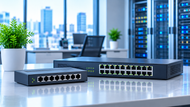
Networks rarely stay the same size for long. You add three laptops, then a second printer, then a few IP cameras, and suddenly the little box in the corner that carried everything fine last year starts dropping calls and stalling file transfers.
Hubs and switches sit right at the center of that story. One of them shares bandwidth and repeats noise. The other one learns addresses and sends traffic exactly where it belongs.
Knowing the difference, and knowing how to size the hardware you buy, decides whether your network grows with you or fights you every step of the way.
Why Scalable Network Infrastructure Matters
Supporting Long-Term Network Growth
A network built for today's headcount ages fast. Wired switches usually stay in service for five to eight years, so the ports you buy now have to carry the devices you'll own in 2030.
Growth rarely arrives as new computers alone. It shows up as access points, badge readers, VoIP phones, TVs, sensors, and cameras, all wanting a cable and power.
Meeting Increasing Connectivity Demands
Traffic patterns have shifted hard. Cloud file sync, video meetings, backups, and Wi-Fi 6E access points all push far more data through wiring closets than older office networks ever did.
A single modern access point can pull more than 1 Gbps of real throughput, which means the switch port feeding it becomes the choke point long before the airwaves do.
Building Flexible Network Architectures
Flexible design keeps your options open. If you separate guest traffic, cameras, and staff devices into different VLANs from day one, adding a new department later means creating a VLAN, not rewiring a floor.
Fixed, flat networks force you to rebuild every time something changes.
The Role of Hubs & Switches in Scalable Network Infrastructure
Expanding Device Connectivity
A hub in a computer network works at Layer 1. It takes an incoming electrical signal and repeats it out of every other port, with no idea who the traffic is for.
A switch in a computer network works at Layer 2. It reads the source MAC address of each frame, builds a forwarding table, and sends frames only to the port where the destination actually lives.
Supporting Reliable Network Communication
That difference changes behavior completely. An Ethernet hub puts every device in one collision domain running half-duplex, so two machines talking at once cause a collision and a retransmission.
An Ethernet switch gives each port its own collision domain and full duplex, so devices send and receive at the same time without stepping on each other.
Maintaining Efficient Data Flow
Switches also isolate traffic. A camera streaming to a recorder on port 6 doesn't touch the accountant's laptop on port 12.
On a hubs, everybody hears everything, and everybody shares the same 100 Mbps. This is the single biggest reason hubs disappeared from serious network infrastructure device lists years ago.
How Hubs & Switches Enable Network Growth
Enabling Network Expansion
Growth usually means stacking capacity in layers. Access switches sit near users, distribution or core switches tie the closets together, and uplinks carry the combined load.
A 48-port access switch with two 10G uplinks can serve a full floor while sending everything upstream on fiber.
Supporting Higher Traffic Volumes
Numbers matter here. A 24-port gigabit switch with a 56 Gbps switching capacity can move all ports at full speed in both directions at the same time.
Cheaper models cut that figure, and the shortfall shows up as lag during backups or large transfers. Check the switching capacity and the MAC address table size before you buy, not after.
Simplifying Infrastructure Growth
Features like link aggregation let you bond two or four ports into one logical link, so you add bandwidth without replacing the switch.
Stacking lets several switches act as one unit with a single management address. Both keep expansion boring, which is exactly what you want.
Infrastructure Planning for Growing Networks
Designing Networks for Future Expansion
Plan cabling for twice what you need. Copper Ethernet runs stop working properly past 100 meters, so drop counts and closet locations get locked in by physics, not preference.
Pulling extra Cat 6A during a fit-out costs a fraction of opening walls again in three years.
Balancing Performance and Capacity
Oversubscription isn't automatically bad; it just needs to be deliberate. A 48-port gigabit access switch feeding a single 1G uplink is asking for trouble.
The same switch with a 10G uplink gives you a sensible ratio for office work. Servers, storage, and video editing need much tighter ratios.
Planning Hardware Placement
Put switches where the heat, power, and cable runs make sense. Wiring closets need airflow, a UPS, and room for patch panels. If you're feeding access points and cameras, count your Power over Ethernet budget properly: 802.3af delivers 15.4W per port, 802.3at gives 30W, and 802.3bt reaches 60W or 90W.
A switch rated at 370W total won't power 24 ports at 30W each.
Hubs & Switches for Modern Business Connectivity
Small Business Network Expansion
A 10-person office runs happily on one 24-port gigabit switch. The mistake small teams make is daisy-chaining cheap five-port units under desks until the path back to the router crosses four hops. Each hop adds latency and another single point of failure.
Enterprise Infrastructure Growth
Larger sites split the job across layers, with Layer 3 switches routing between VLANs at the core instead of sending everything to a firewall. Managed switches add spanning tree protection against loops, QoS for voice, port security, and monitoring through SNMP.
Multi-Site Network Connectivity
Across buildings or cities, fiber uplinks and routing take over. Each site keeps its own addressing plan and VLAN scheme, then connects through leased lines, VPN, or SD-WAN. Consistent switch models across sites cut your spare parts list and your troubleshooting time.
If you want the wider picture behind these hardware choices, our Guide To The Importance Of Reliable Computer Networking For Growing Businesses walks through how cabling, wireless coverage, routing, and network security fit together as a company grows.
Selecting Network Hubs & Switches for Future Expansion
Evaluating Network Size
Count your live devices, then add the ones people forget: printers, APs, cameras, phones, spare desks. Buy for that total plus roughly 30 percent of headroom. Running a switch at 100 percent port use leaves you nothing for a visitor or a swap.
Considering Port Density and Connectivity
Match port speed to the device. Desks are fine on gigabit. Access points increasingly want 2.5G ports. Uplinks want SFP+ cages so you can choose copper or fiber later. Managed models cost more but give you VLANs, diagnostics, and remote access.
Preparing for Future Upgrades
Look at firmware support windows and warranty terms before price. A switch with a lifetime warranty and active firmware updates stays safe and usable far longer than a bargain unit that stops receiving patches after two years.
Common Scalability Challenges
Network Bottlenecks During Growth
Bottlenecks hide in uplinks, not access ports. A saturated 1G link between closets slows down hundreds of users while every individual port looks healthy. Watch interface utilization and error counters to find them.
Hardware Capacity Limitations
Switches run out of more than ports. MAC table limits, PoE budgets, packet buffers, and backplane capacity all cap growth. Once a MAC table fills, the switch floods unknown traffic and behaves a lot like the hub you replaced.
Expansion Without Proper Planning
Unplanned growth leaves a trail: unlabeled cables, three switch brands, no VLAN documentation, and a broadcast storm nobody can trace. Labeling and a simple network diagram save hours during outages.
Emerging Trends in Scalable Networking
High-Speed Ethernet Adoption
Multi-gigabit access is spreading fast. 2.5G and 5G ports over existing Cat 5e and Cat 6, plus 10G and 25G uplinks, now show up in mid-range business switches instead of only in data centers.
Smart Network Management
Cloud-managed switches let you push VLAN changes to twenty sites from one dashboard and see port-level traffic history without visiting a closet. Automation through APIs handles repeat configuration work.
Cloud-Connected Network Infrastructure
With applications living off-site, internet edge capacity and uplink quality matter as much as internal speed. QoS marking on switches keeps voice and video usable when links get busy.
Conclusion
Switches earned their place by doing what hubs never could: learning addresses, giving every port full bandwidth, and keeping traffic separate. Hubs still explain the fundamentals well, and they show exactly why shared media stopped working.
When you plan your next expansion, size your switching capacity, uplinks, PoE budget, and port headroom against the network you'll have in five years, not the one on your desk today.
Frequently Asked Questions
A: It's a network designed so you can add users, devices, sites, and bandwidth without rebuilding it. That comes from spare ports, sensible uplink capacity, structured cabling, and a consistent addressing and VLAN plan.
A: Both extend the number of devices you can connect. Hubs share one collision domain and split bandwidth. Switches forward frames per port at full duplex, which lets them carry far more devices and traffic at once.
A: Because rework is expensive. Replacing switches, pulling new cable, and readdressing a live network costs far more in downtime and labor than buying the right capacity the first time.
A: Document what you have, cable generously, choose managed switches with fiber uplink options, size PoE budgets against future access points and cameras, and monitor interface use so you spot pressure early.
A: Through per-port dedicated bandwidth, VLAN segmentation, link aggregation, stacking, Layer 3 routing, and loop protection. These features let you add capacity in pieces rather than replacing whole layers.
A: Not realistically. Hubs top out at 100 Mbps, run half-duplex, and share bandwidth across all ports. They survive only in teaching labs and legacy equipment. Even the cheapest unmanaged switch outperforms them.